Technicians & repair shops
Check battery wear, watch charge/discharge behavior, document condition for a customer, and compare a replacement battery against the one that came out.

Blackwire Battery Health Utility gives technicians and Windows users a clear view of battery health, capacity, charging behavior, power draw, history, diagnostics, and long-term performance.
Use it to inspect a laptop battery, watch behavior during a charge or discharge test, document battery condition, investigate abnormal drain, and build a customer-facing battery health report without relying on the basic Windows battery indicator alone.
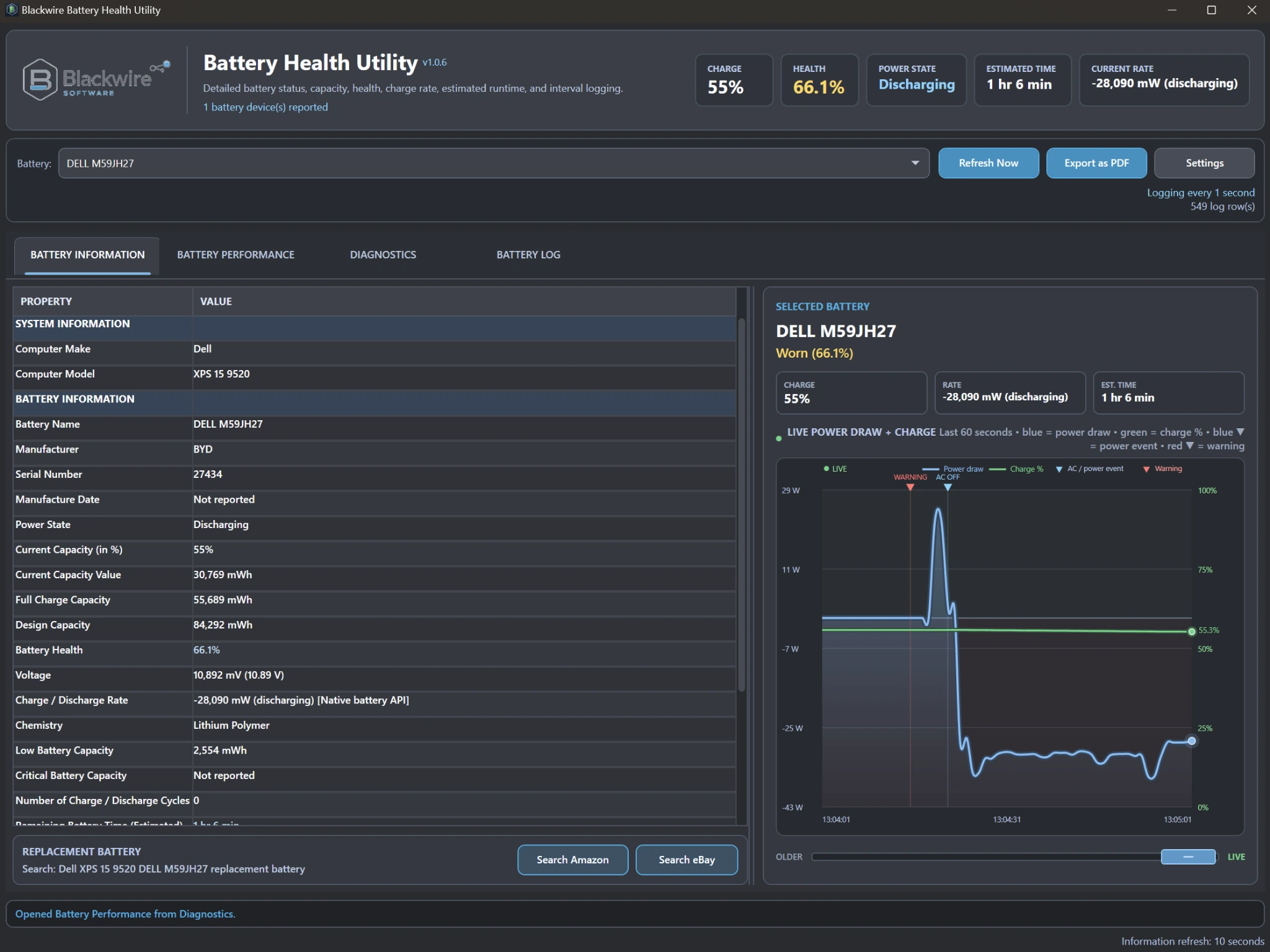
Built for battery troubleshooting
A battery can show 55% charge and still have lost a third of its original capacity, drain abnormally under load, charge too slowly, or behave differently when AC power changes. Battery Health Utility keeps those readings and events visible so the person doing the work can see what is actually happening.
Who it is for
The utility is built for people who need more than a yes/no battery status and want enough evidence to make a repair or replacement decision.
Check battery wear, watch charge/discharge behavior, document condition for a customer, and compare a replacement battery against the one that came out.
Review battery condition during intake, troubleshoot charging or standby-drain complaints, and keep reports or longer-term battery history with the job.
See capacity loss, power draw, voltage, runtime estimates, and battery events that the normal Windows battery indicator does not explain.
Battery information
The exact fields available depend on what the laptop firmware, battery, drivers, and Windows battery interfaces expose.
Live battery graphs
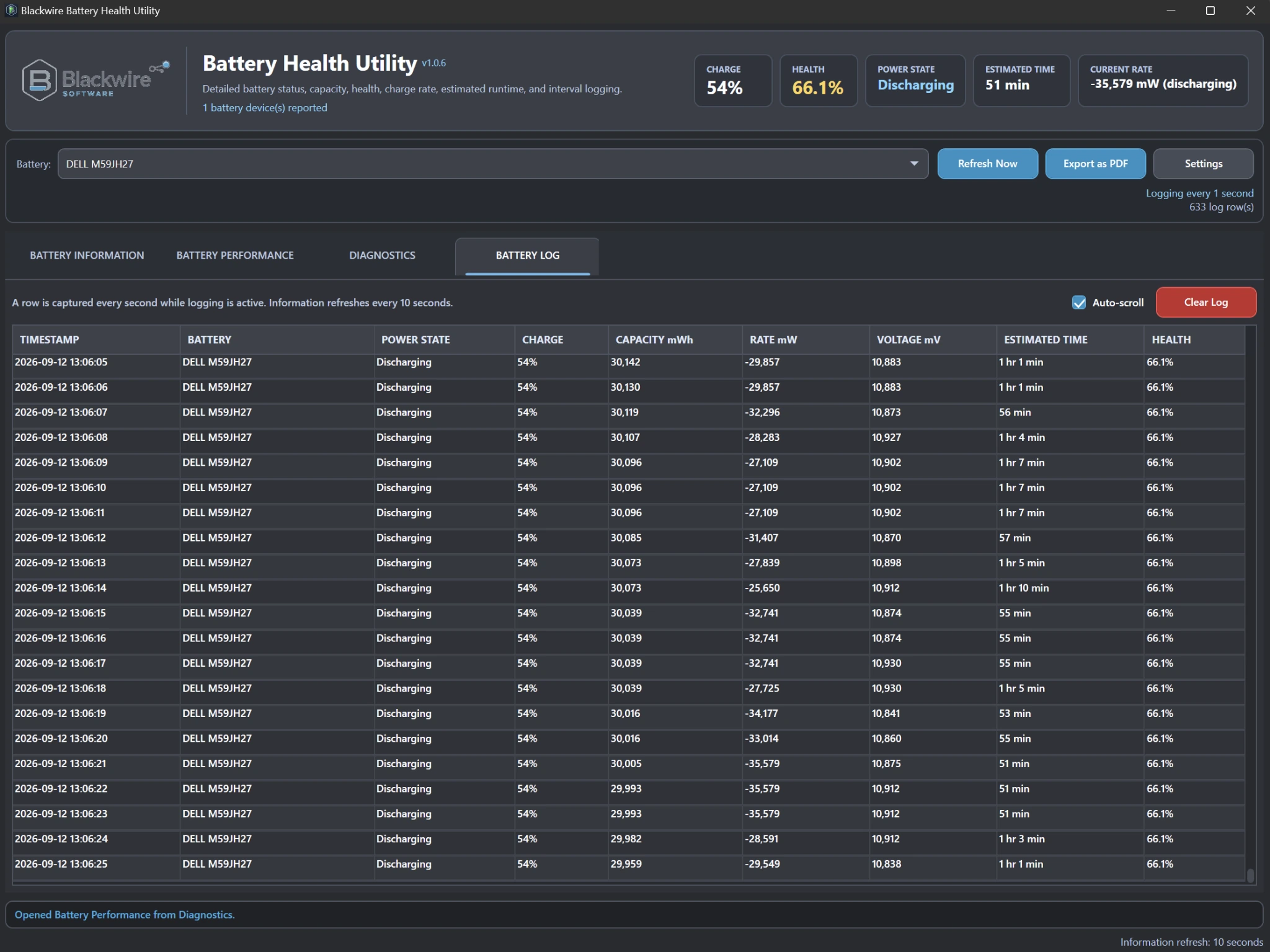
Battery Performance records readings continuously while the utility is running. Battery Information also keeps a live Power Draw + Charge graph visible beside the current battery details. Scroll backward through retained history while monitoring continues, then return to the newest position to follow live data again.
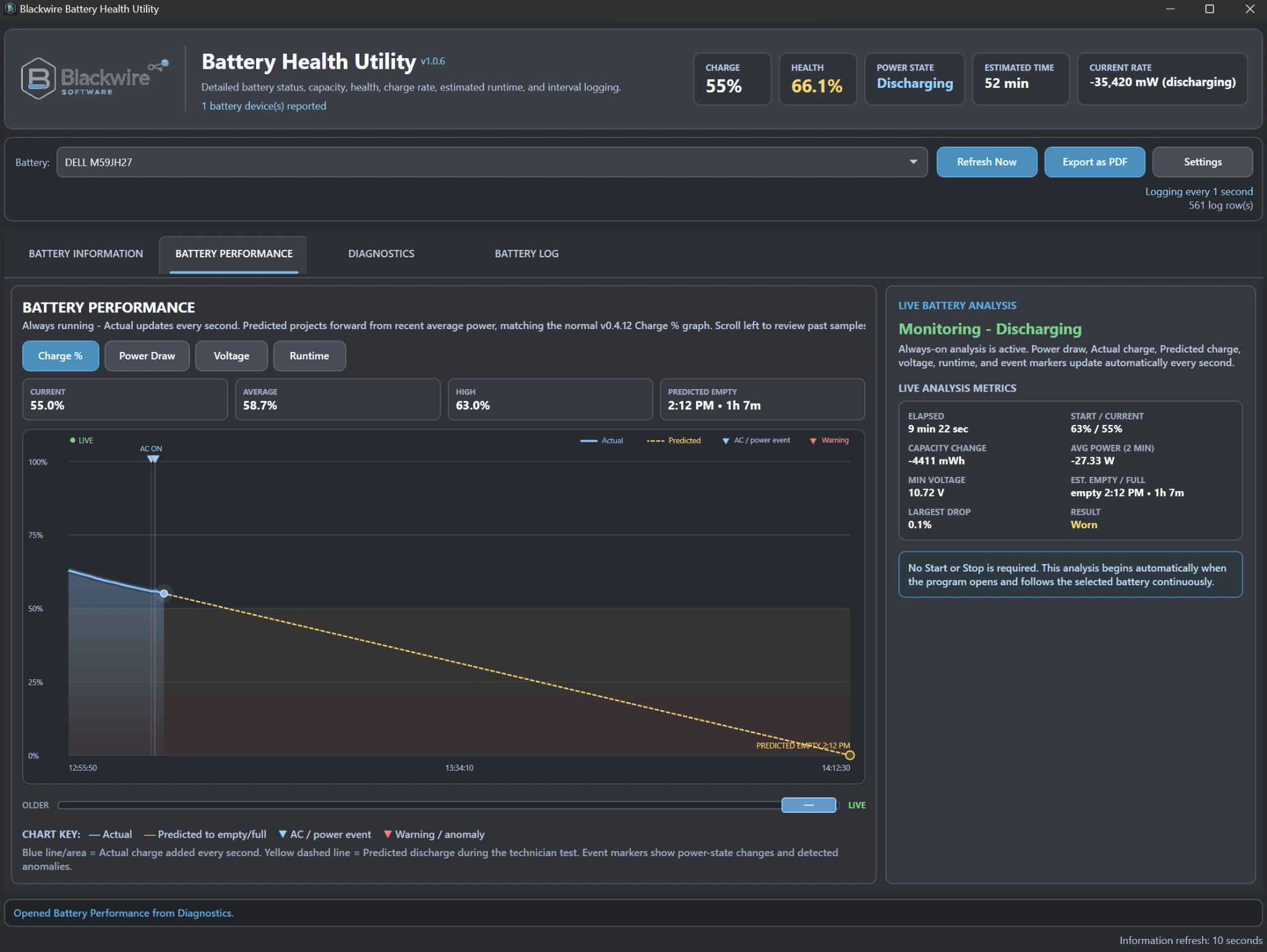
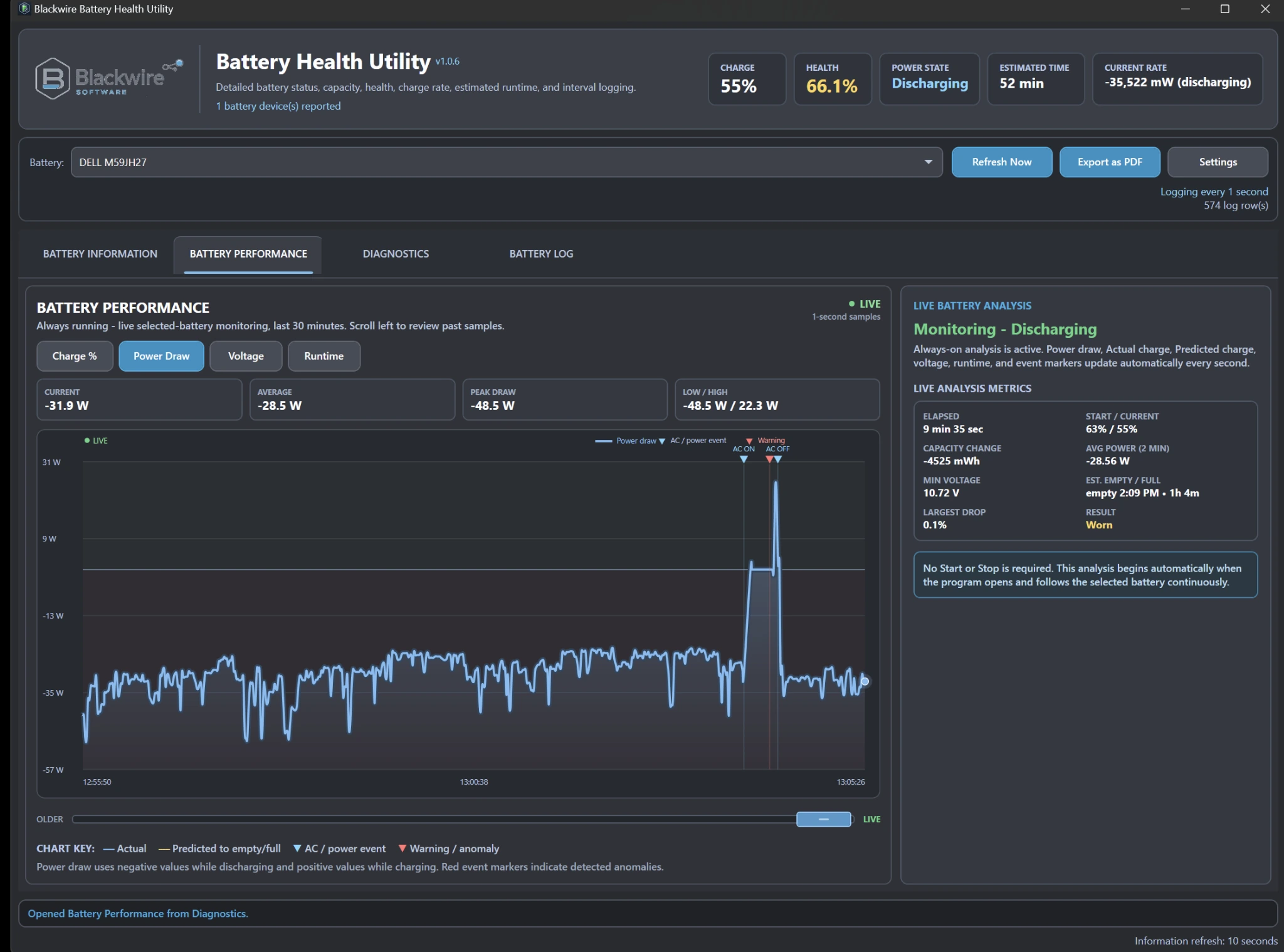
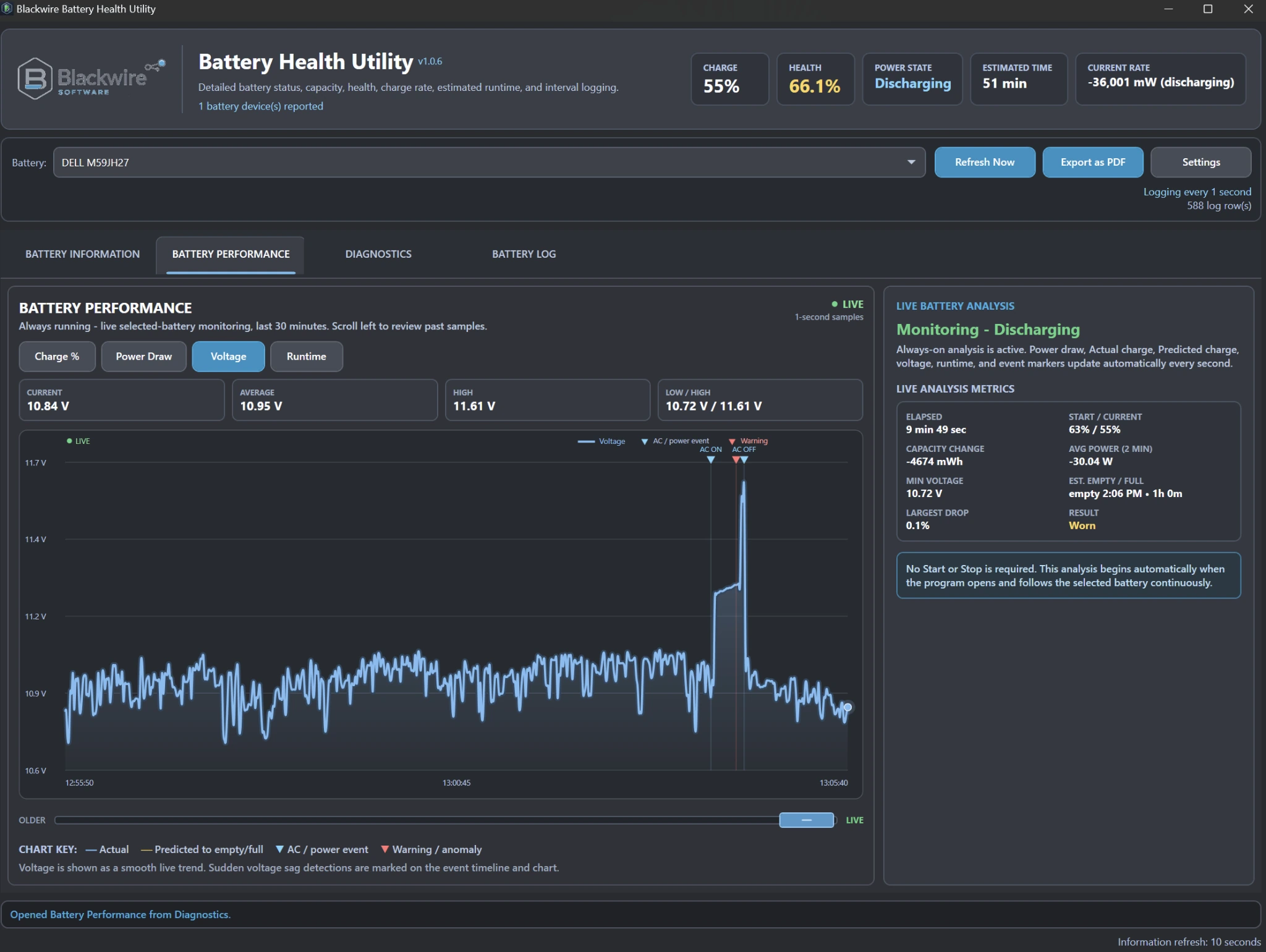
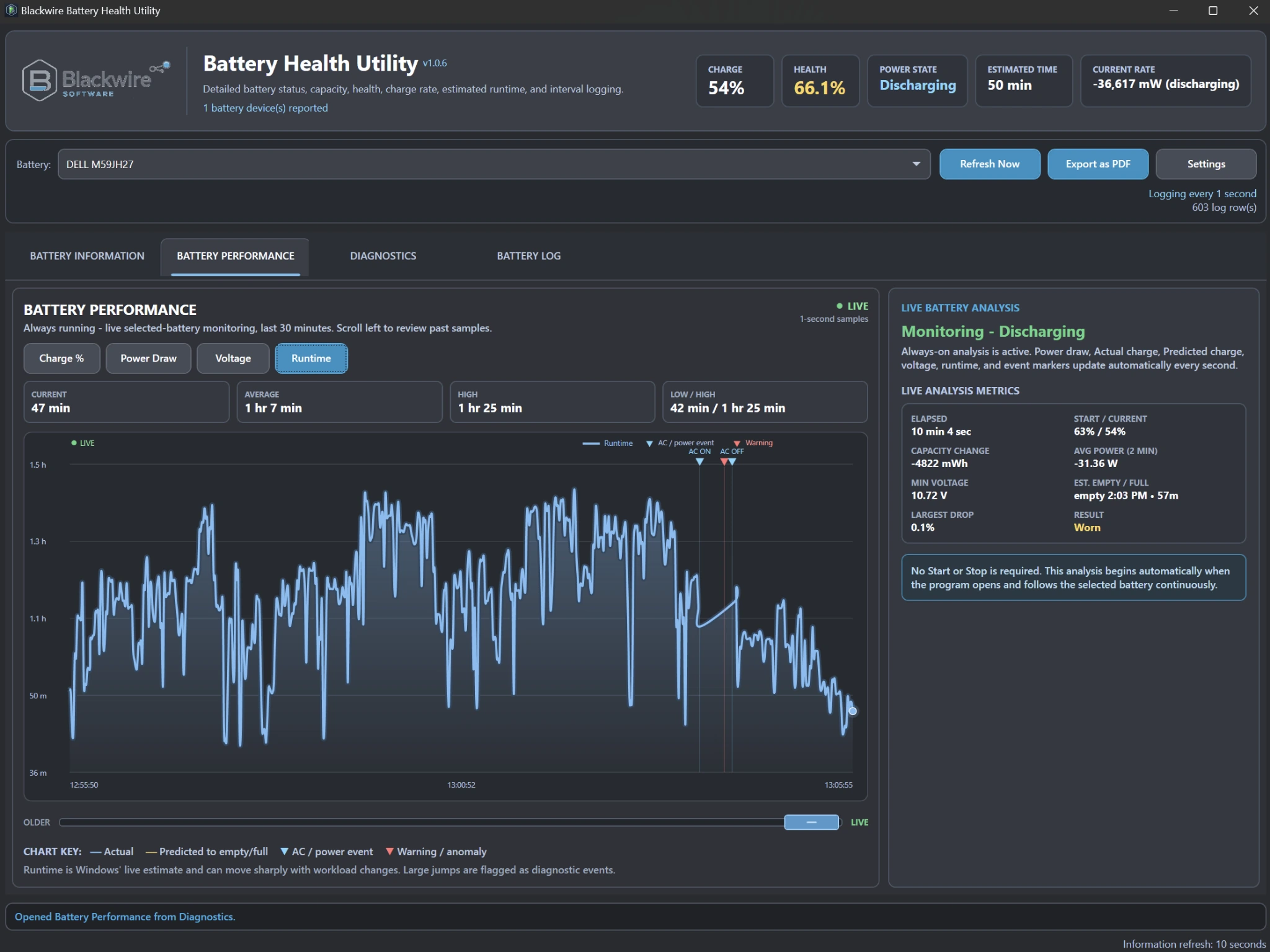
Battery Performance does not require a manual Start or Stop button. While the utility is open it can keep the selected battery under observation and update elapsed time, starting/current charge, capacity change, recent average power, minimum voltage, estimated empty/full time, largest observed charge drop, and the current battery result.
Automatic diagnostics
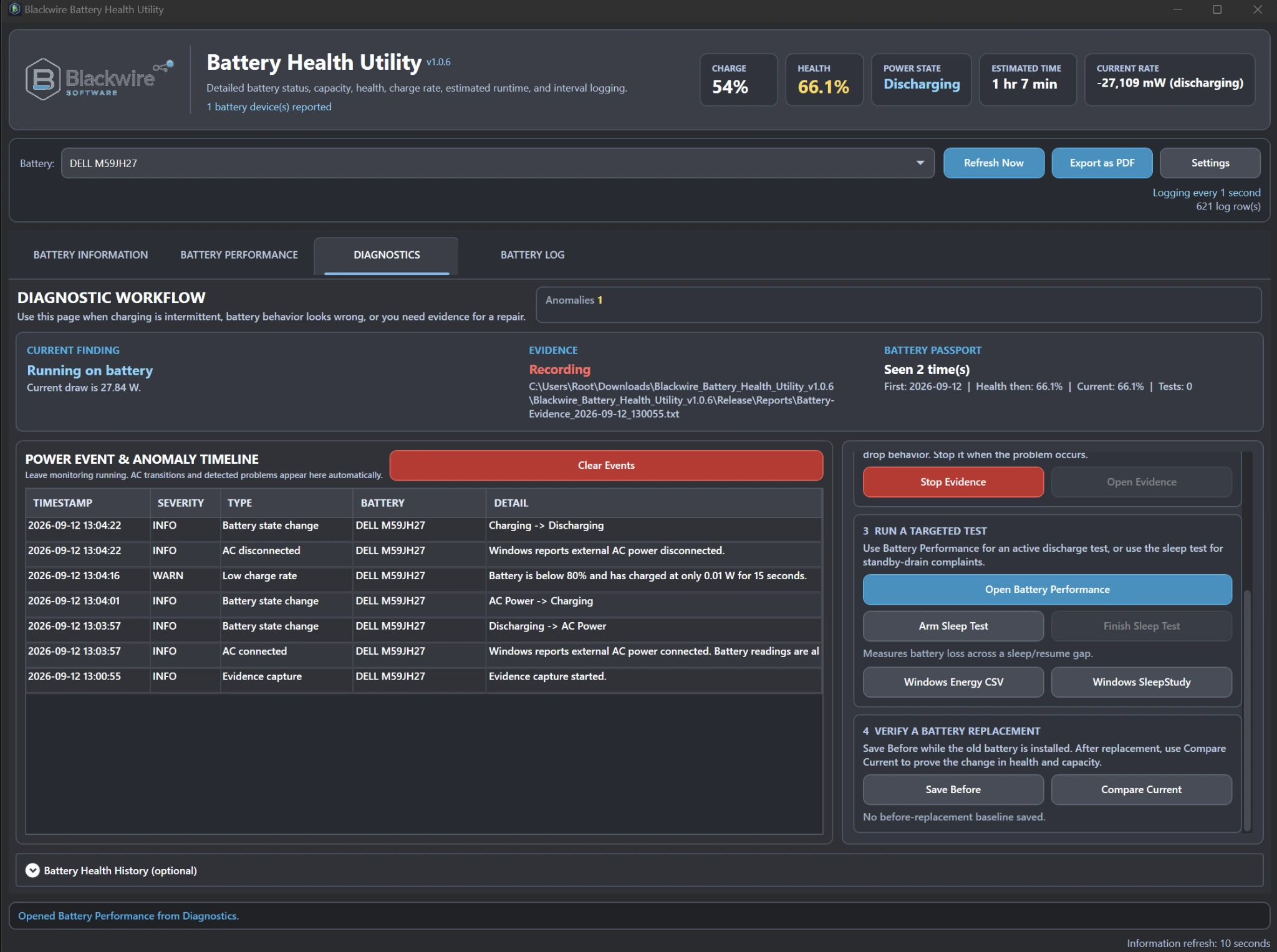
Diagnostics records battery and power-state events while the utility runs so intermittent charging or drain complaints have a timeline instead of relying on memory.
The same area can collect technician evidence, run targeted battery-performance testing, measure sleep/resume drain, and call supported Windows power tools when deeper evidence is needed.
History & Battery Passport
Current condition matters, but history can show whether the battery has been changing over time.
Battery Health Utility can read available Windows battery history and combine it with Blackwire's own observations. That can help a technician review capacity and health history instead of basing the decision only on what the battery reports right now.
Windows history availability depends on what Windows and the hardware have actually recorded.
Observed batteries can maintain a portable Battery Passport with practical long-term information such as first seen, last seen, initial and latest battery health, initial and latest full-charge capacity, observation history, and changes over time.
It is a technician record of what Blackwire has seen, not a substitute for information the hardware does not expose.
Repair & replacement workflow
The tool includes practical workflows for finding a replacement and checking the result after it is installed.
Quick Amazon and eBay searches use available computer and battery identification information to help narrow down a compatible replacement. The shopping site opens only when the user chooses to search.
Save battery information before replacement, install the new battery, then compare the current battery with the saved baseline. This helps confirm that the intended battery was replaced and documents the difference.
Measure battery loss across a sleep/resume gap when troubleshooting systems that lose too much charge while sleeping. Windows SleepStudy can also be used where the hardware and Windows configuration support it.
Professional PDF report
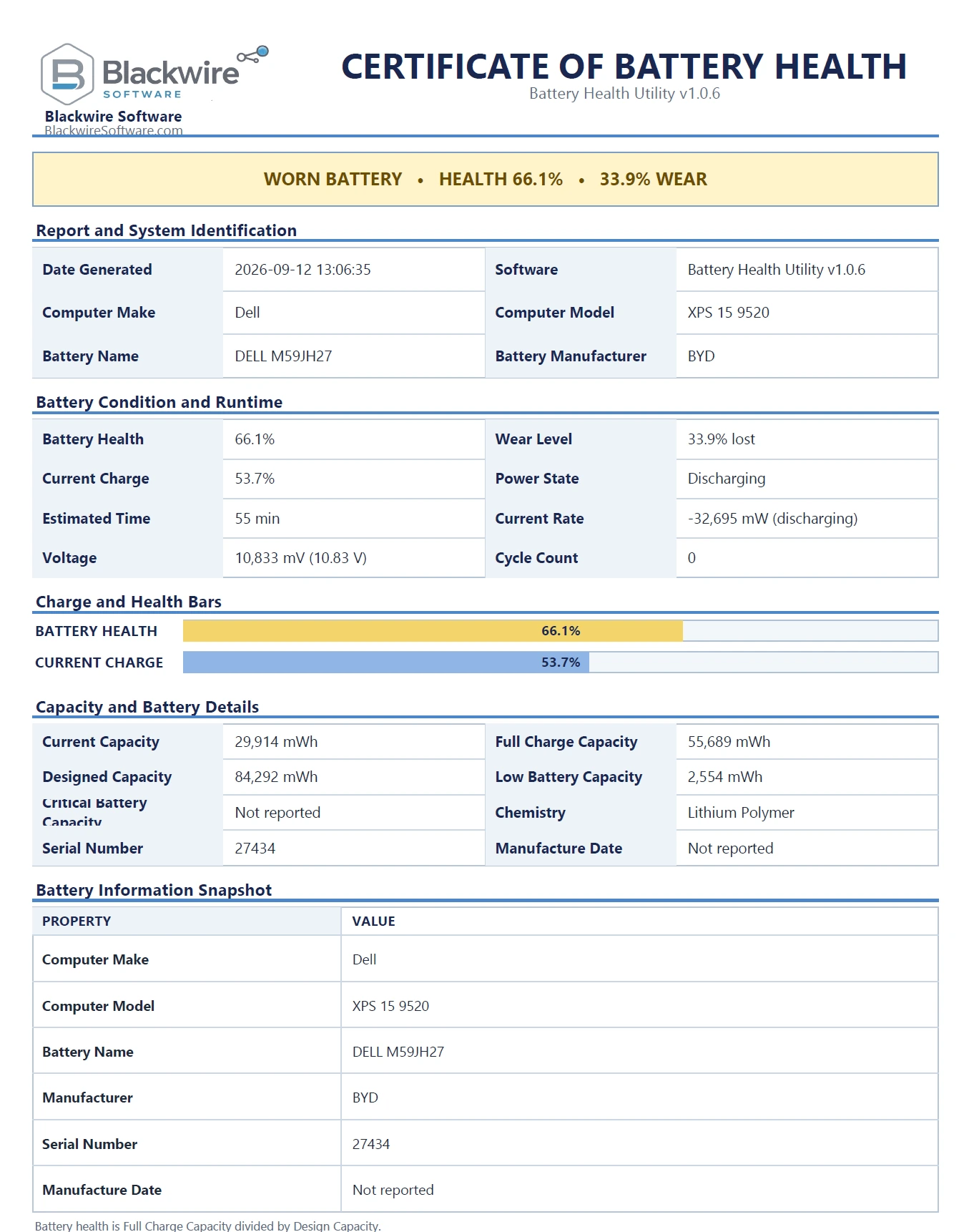
Battery Health Utility can create a customer-facing PDF with the battery condition, health, wear, system identification, capacity, runtime information, battery details, and a battery snapshot.
That makes the report useful for repair shops, refurbishers, IT departments, customer documentation, intake records, and before/after service work.
Technician-friendly operation
When enabled, Awake Mode can help keep the PC and display awake while the utility is running so an extended monitoring session is not interrupted by normal Windows idle sleep or display timeouts. OEM and Modern Standby behavior can still vary by hardware.
Diagnostics can gather Windows battery and energy evidence for deeper troubleshooting, including battery-report information, energy usage data, and SleepStudy where Windows and the hardware support those tools.
The utility is designed to keep relevant local application data with the tool in folders such as Config, Data, Logs, and Reports, which is convenient for technician workflows.
Supports systems where multiple batteries are exposed by Windows; dual-battery hardware validation is ongoing. Battery selection and per-battery monitoring architecture are present, but Blackwire is not marketing dual-battery behavior as hardware validated yet.
Application screenshots
These are real application views from the released Battery Health Utility.
Free or support development
The $9.99 option is voluntary support for continued Blackwire development. It is not a feature upgrade and it does not unlock additional functionality.
$0
Use the full Battery Health Utility with all current features and no feature restrictions.
$9.99
The exact same complete application as Free. This option is for users or businesses that want to help fund continued development.
Comparison
The only difference is whether you choose to financially support continued development.
| Feature | Free | Support Development |
|---|---|---|
| Battery Health Monitoring | Yes | Yes |
| Live Performance Graphs | Yes | Yes |
| Graph History Browsing | Yes | Yes |
| Windows Battery History | Yes | Yes |
| Battery Passport | Yes | Yes |
| Diagnostics | Yes | Yes |
| PDF Reports | Yes | Yes |
| Replacement Battery Search | Yes | Yes |
| Sleep Drain Tools | Yes | Yes |
| Price | Free | $9.99 |
| Supports Future Development | No | Yes |
Requirements
Important notes
Battery health fields, cycle information, Windows history, SleepStudy, and other advanced evidence depend on what the hardware and Windows expose. Missing data does not automatically mean the battery or laptop is faulty.
The application can work with multiple batteries when Windows exposes them, but real dual-battery hardware validation is still ongoing.
Frequently asked questions
Yes. The complete application is available for free.
It is the exact same software as the Free version. The purchase is simply a way to help fund continued development of Battery Health Utility and other Blackwire tools.
No. Both downloads provide the same application and current functionality.
The utility works with Windows battery interfaces, but the exact information available depends on the laptop, battery firmware, drivers, and Windows support.
No. Battery Health Utility does not upload battery information in the background. Replacement-battery searches open third-party shopping sites only when the user chooses to perform a search.
Yes. The utility can create a professional battery health PDF report suitable for technicians, repair shops, refurbishers, IT departments, and customers.
Blackwire Battery Health Utility
Download the complete application free, or choose the $9.99 Support Development option if you want to help fund future work.