Quick Capacity
Writes position-aware samples across 256 regions, reads them back, checks for address aliasing, then verifies restoration of original sampled data. Useful as an early warning—not a byte-for-byte capacity guarantee.

Blackwire Flash Media Tester checks advertised capacity, data integrity, readable storage, and performance before you trust a USB drive or memory card with important files.
Run a sampled check, read the full reported surface, benchmark performance, or perform a destructive full write-and-read verification when you need stronger evidence.
Free and $5 Support include exactly the same software. Full Write + Verify erases the selected device.
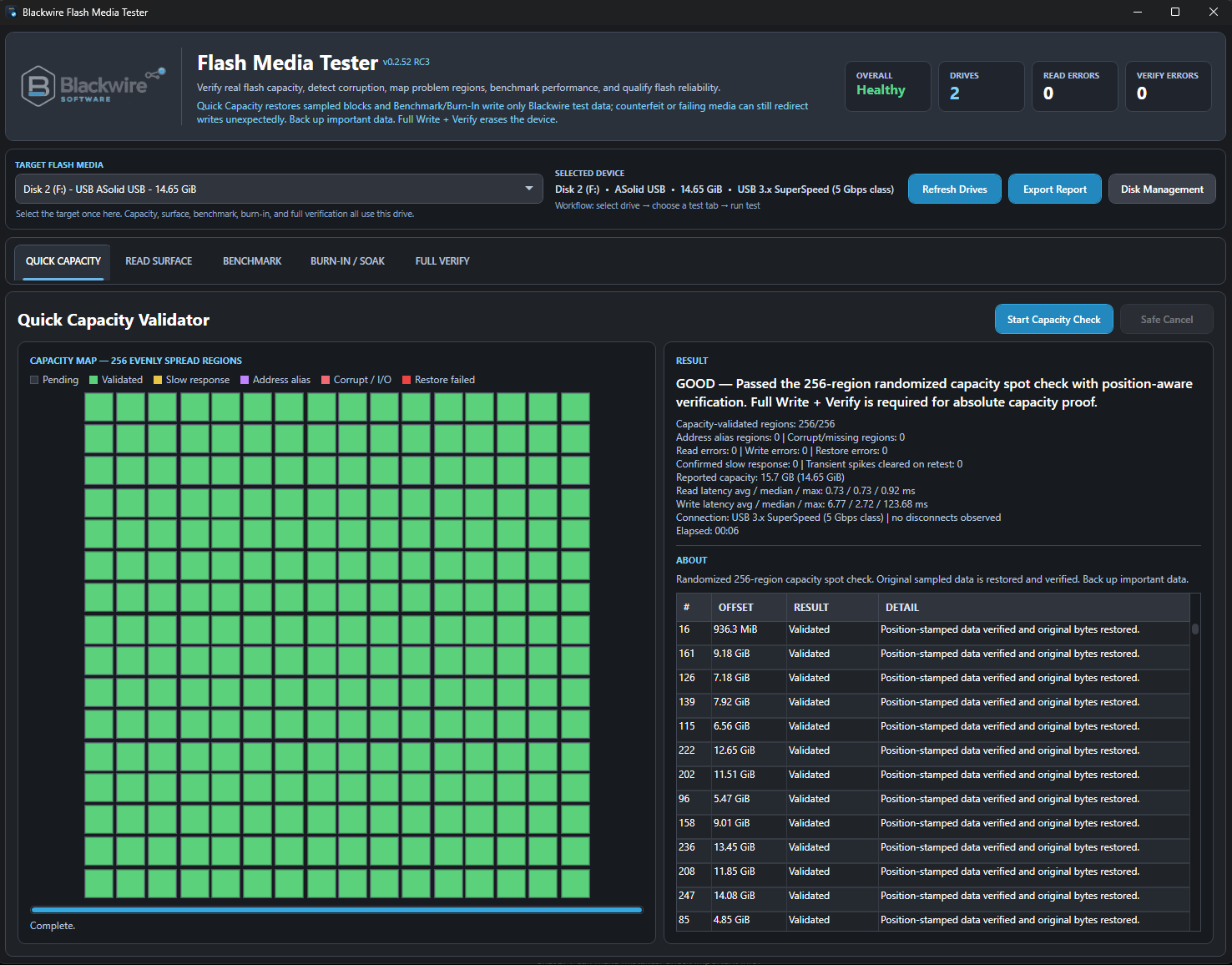
Why capacity verification matters
Windows may show the advertised size even when the device cannot reliably store and return data across that address range. A few successful small-file copies don't establish the full capacity.
Verify a new USB drive or SD card before it becomes the only home for photos, backups, or important documents.
A successful write response means little if the bytes read back are wrong—or return from the wrong location.
See how the tests differReal hardware case study
One flash drive purchased through Amazon was tested using Blackwire Flash Media Tester. This is one device's test result, not a claim about every seller or device.
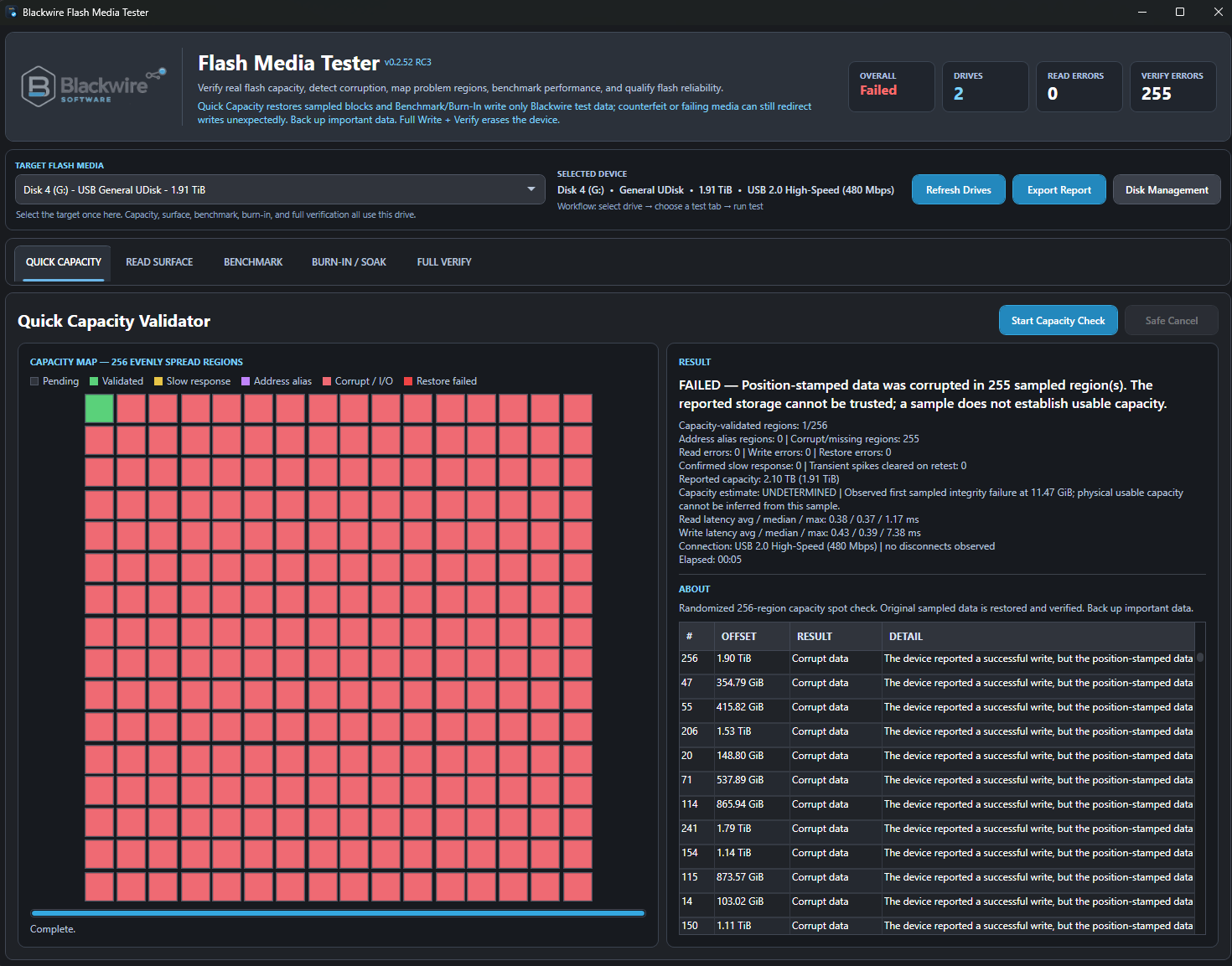
Position-stamped sample data failed verification in 255 of 256 regions. We could not establish reliable storage across the advertised address range.
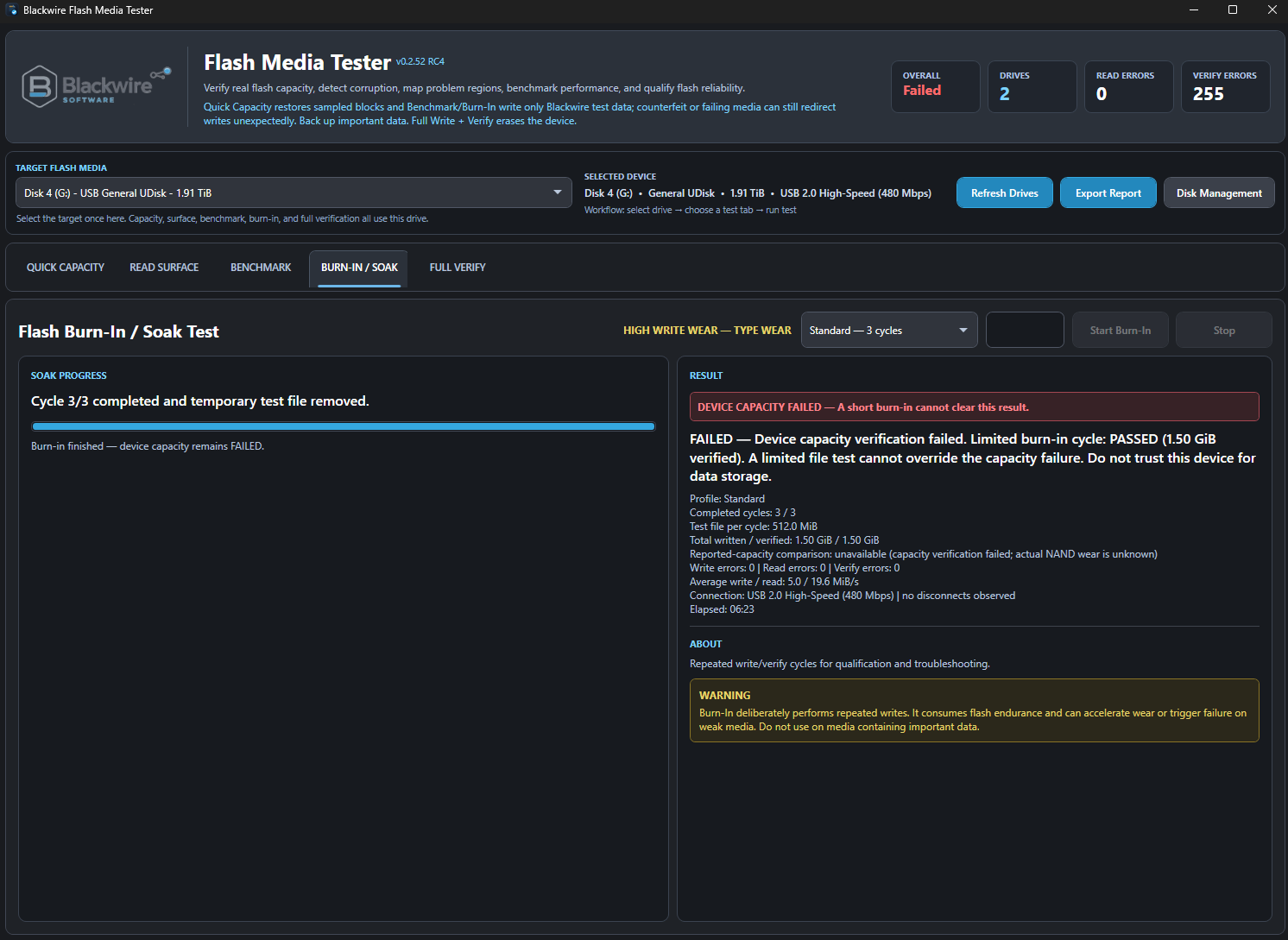
A short 256 MiB Burn-In workload could still pass in limited testing. That does not establish the drive's full capacity; the broader failure must take precedence.
A successful small-file test doesn't prove a drive can safely hold its advertised capacity.
A result you can trust
The current Burn-In workflow requires appropriate capacity-validation evidence on an unverified device and preserves an existing failure. Even a completed limited workload cannot change a failed drive into “healthy.”
We did not establish the drive's true physical capacity. The test evidence shows that its reported storage could not be trusted.
The test workflow
Different tests answer different questions. The tool labels their scope so a limited pass is not mistaken for complete capacity proof.
Writes position-aware samples across 256 regions, reads them back, checks for address aliasing, then verifies restoration of original sampled data. Useful as an early warning—not a byte-for-byte capacity guarantee.
Reads the reported address range and records read errors or persistent slow-response areas without intentionally writing test data.
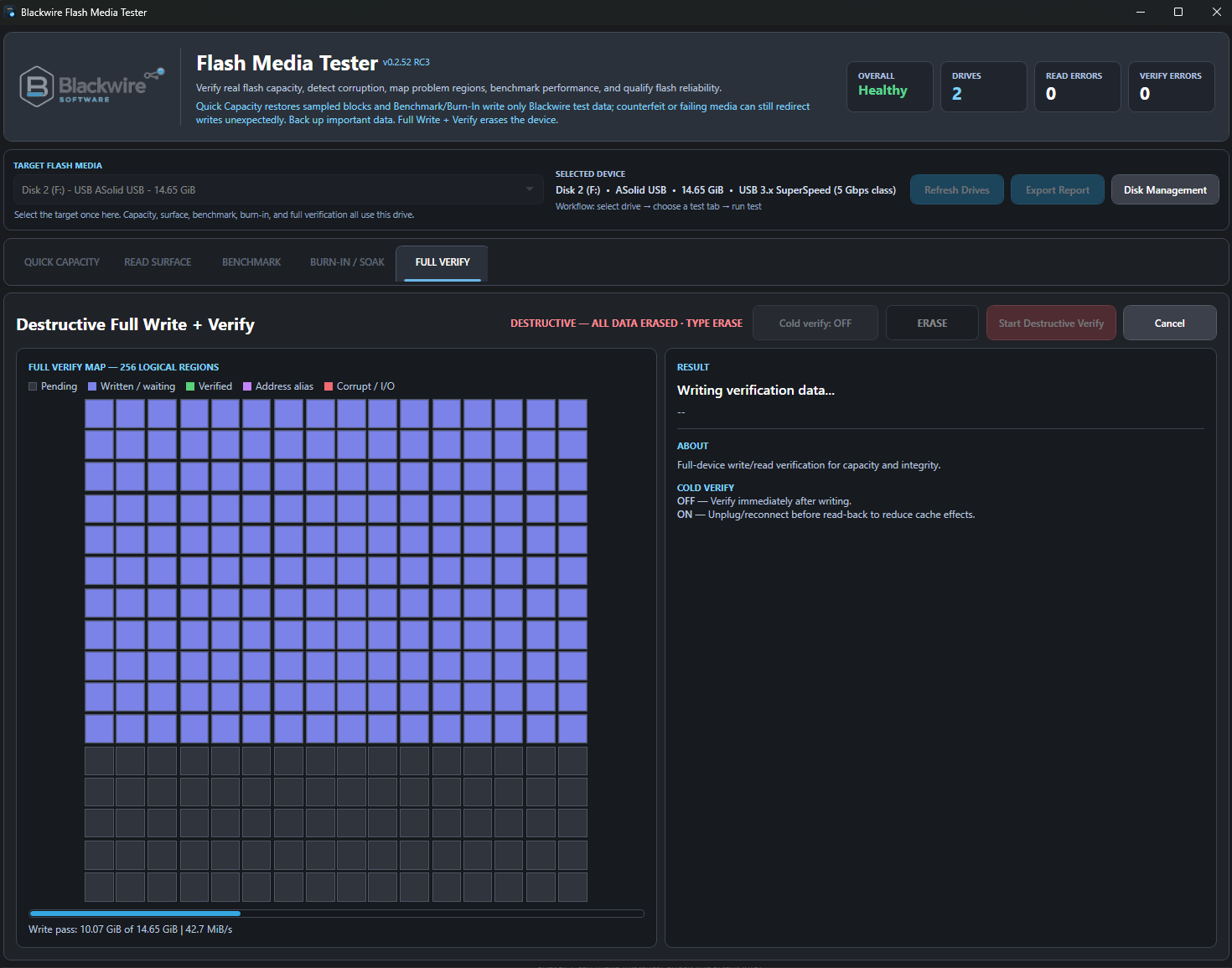
Writes test data across the entire selected device and reads it back to check capacity and integrity. All existing data on that device is erased.
Measures sequential and random read/write performance, IOPS, latency, and transfer-size behavior. Speed alone does not prove capacity.
Exercises flash storage with repeated write, read, and verify cycles. Capacity prerequisites and existing failure results prevent a short successful run from overruling broader evidence.
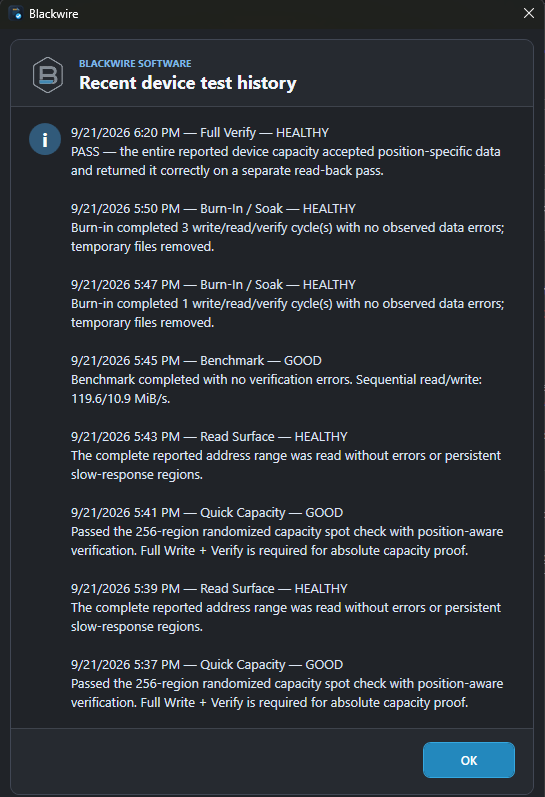
Inspect error counts, region maps, device test history, and export a PDF report with available verification evidence. A reported result describes the work actually performed.
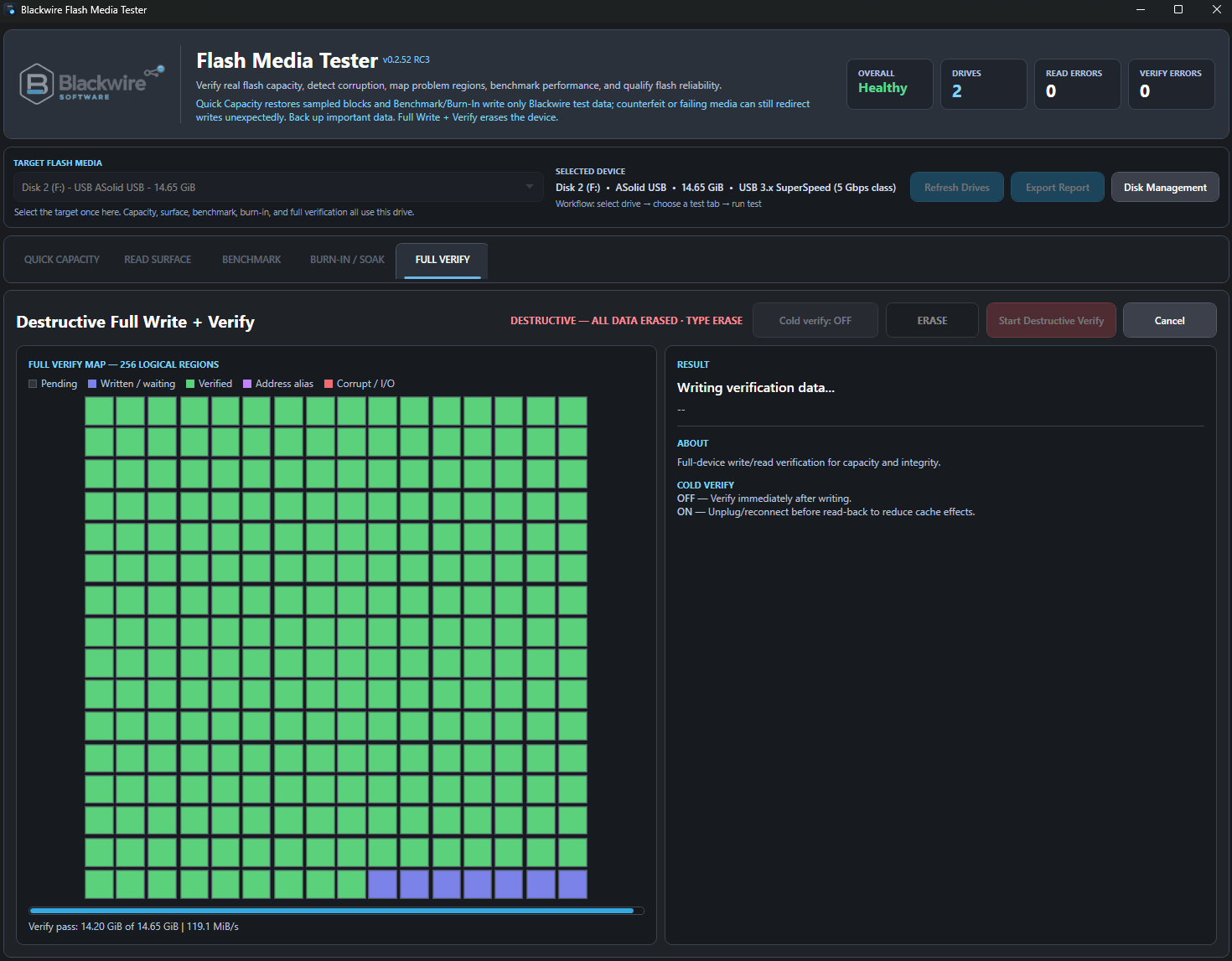
Inside the application
Real screenshots of Blackwire Flash Media Tester. Select an image to view the full interface without cropping.
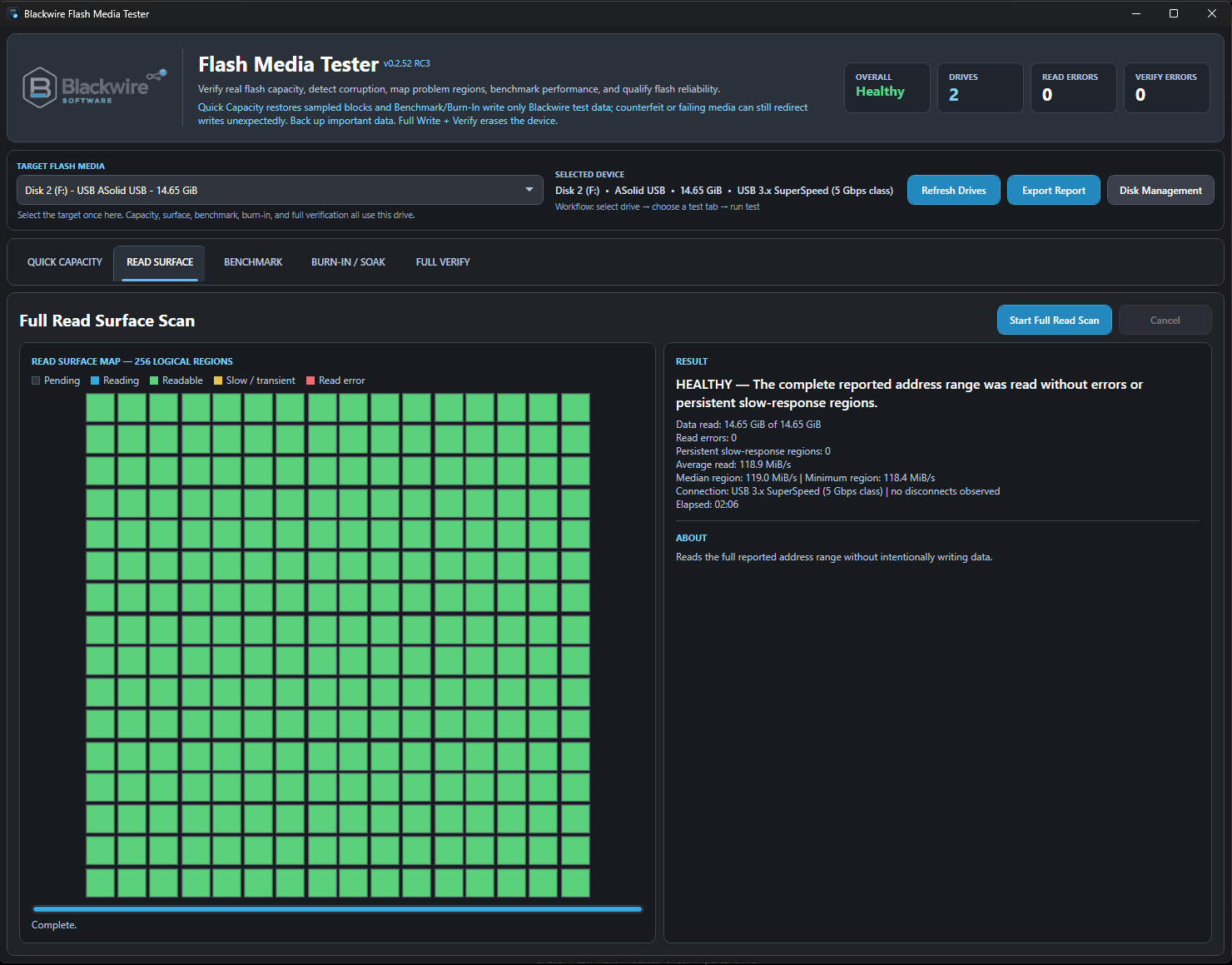
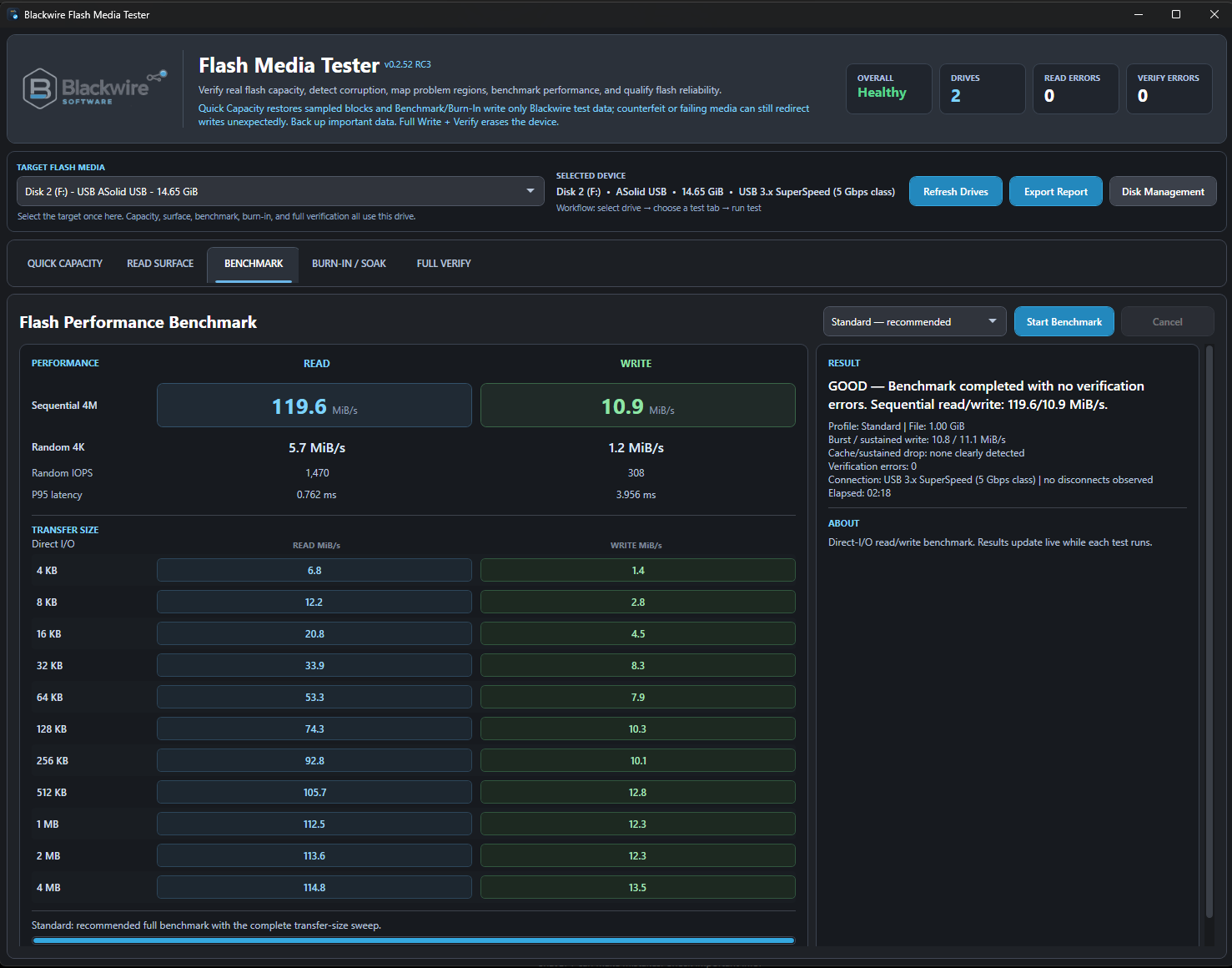
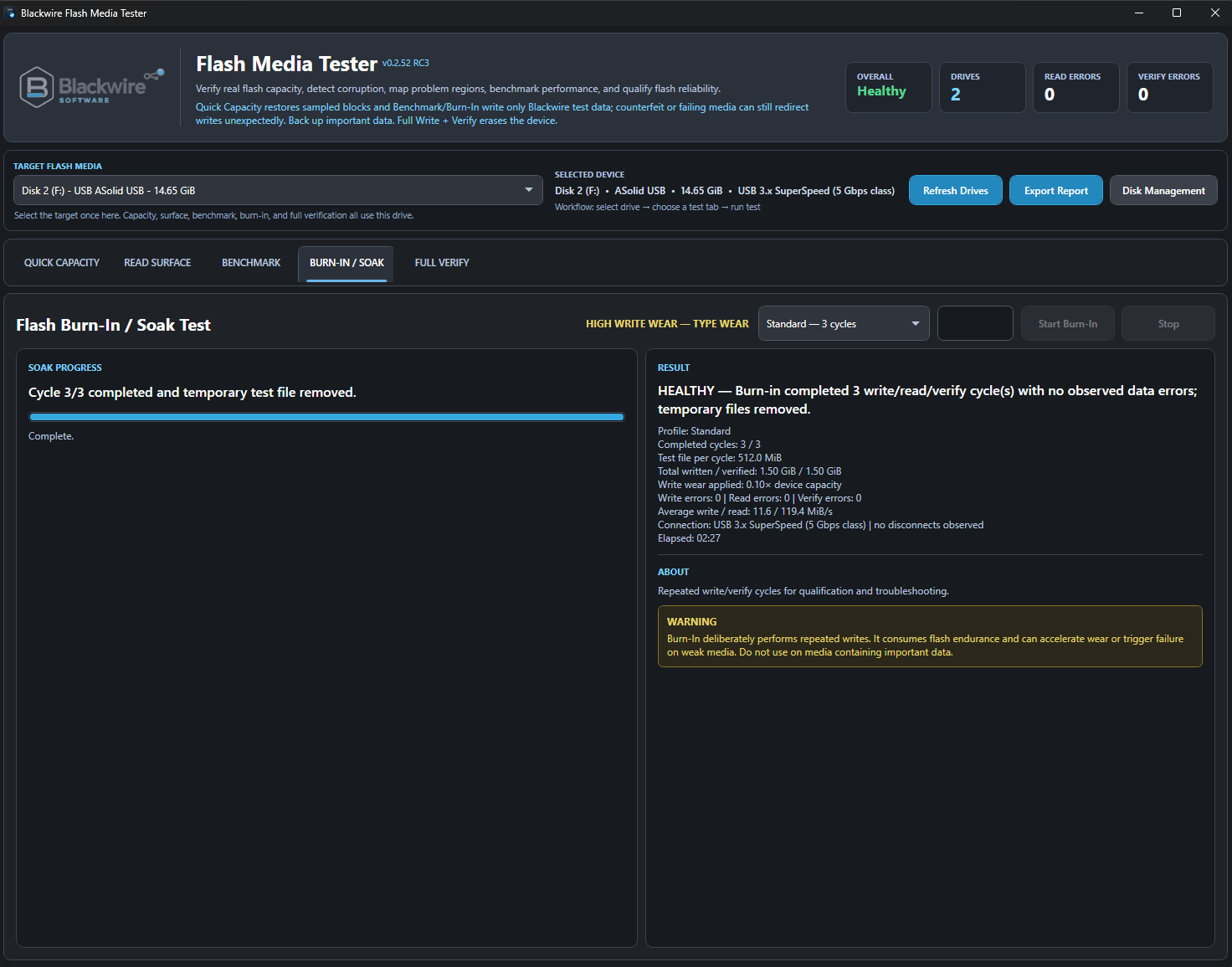
Who it helps
Check newly purchased USB drives and memory cards, especially when advertised capacity and price don't seem to match.
Qualify removable storage before deployment and keep repeatable results for troubleshooting and documentation.
Test SD and microSD cards before relying on them for photos, footage, and other files that are hard to replace.
Download Flash Media Tester
Both options provide exactly the same complete application. Paying $5 is voluntary support for continued development, not a feature upgrade.
$0
Get the full Flash Media Tester with every current feature at no cost.
$5
The exact same software as Free, for anyone who wants to help fund future updates and testing.
Both options include the same complete software. Support is entirely optional and helps fund continued development.
Flash Media Tester is available in installer and portable formats. Choose the format that suits the job; Free and Support have identical functionality.
Safety first
Frequently asked questions
No. It verifies sampled regions. Full Write + Verify is needed to check the full reported capacity.
Yes. It overwrites the selected device. Back up your files and confirm the target drive before you begin.
No. Burn-In checks the exercised workload; the tool keeps capacity validation as a separate prerequisite and does not let a limited pass cancel a recorded capacity failure.
No. Both are the same complete application. $5 is voluntary support for Blackwire development.
USB flash drives, SD/microSD cards, and similar flash storage exposed as supported Windows storage devices. Hardware behavior and available tests can vary.
Blackwire Flash Media Tester
Check capacity and integrity with the complete free application. Choose Support only if you'd like to help keep it in development.