Windows 10/11 64-bit Releasedv0.2.12 Free Business $19.99

Blackwire Crash Analyzer — BSOD, Crash Dump & WHEA Analysis

Understand the crash. Follow the evidence. Fix the right problem.

Blackwire Crash Analyzer pulls crash dumps, Microsoft debugger results, Windows events, hardware-error evidence, and related system history into one place. Instead of bouncing between WinDbg, Event Viewer, Reliability Monitor, WHEA logs, and update history, you can start with the evidence that is most likely to matter.

It is meant to make crash troubleshooting understandable for someone fixing their own PC without taking away the technical detail a technician, repair shop, or IT team may need.

One-click crash analysis From crash dump to useful evidence Plain-English diagnosis Free and Business editions

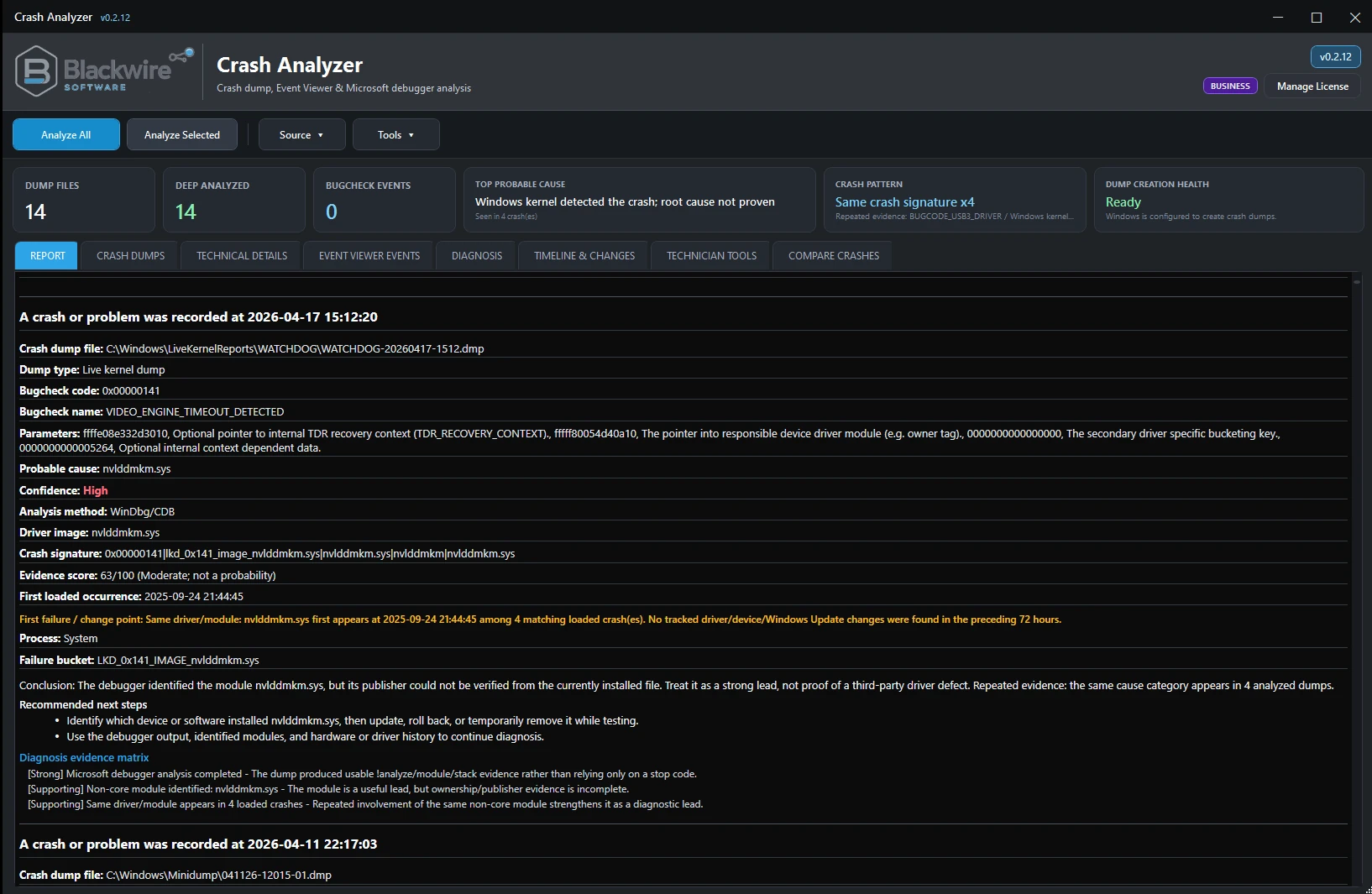
Blackwire Crash Analyzer Business report view showing probable cause, crash pattern, and dump creation health.
Business report view showing probable cause assessment, repeated crash-pattern evidence, and dump-creation health.
One-click crash analysis Launch Crash Analyzer, click Analyze All, and review organized results.
Evidence-focused results Confidence, evidence strength, and limitations help separate useful signals from guesswork.
Repeated crash pattern analysis Several crashes can reveal patterns a single dump may hide.
Local analysis Crash dumps, Event Viewer data, and reports are not automatically uploaded to Blackwire Software.

What Crash Analyzer does

Put the crash evidence in one place.

A Windows crash can leave clues in dump files, debugger output, Event Viewer, WHEA, Windows Error Reporting, Reliability history, drivers, updates, power events, and recent system changes. Crash Analyzer brings those clues together around three questions: What happened? What points toward the problem? What should I check next?

Discover crash evidence

Find available Minidumps, MEMORY.DMP, and other crash-related evidence instead of manually hunting through folders and Windows settings.

  • Windows crash dump discovery
  • BugCheck information
  • Dump-creation health and configuration guidance
  • Basic recurrence and crash history

Use Microsoft debugger evidence

Use Microsoft debugging tools on available dumps and turn the raw output into something easier to work through.

  • Microsoft debugger analysis
  • Implicated driver/module details
  • Crash signatures and probable-cause assessment
  • Technical details for advanced users

Correlate supporting Windows data

Pull in related Windows evidence so you do not have to move back and forth between several built-in tools.

  • Event Viewer evidence
  • WHEA hardware-error events
  • Windows Error Reporting and Reliability data
  • Driver, device, and change context

Ease of use

Start with the crash, not the debugger syntax.

You should not have to learn WinDbg syntax or dig through thousands of Event Viewer entries just to get started. The technical debugger details are still there when you want them.

Launch Crash Analyzer

The program discovers available crash evidence from the current Windows system, including available dump files and related diagnostic sources.

Click Analyze All

Crash Analyzer processes available crash dumps and supporting Windows evidence so you do not have to manually assemble the investigation first.

Review the results

See probable cause, confidence, severity, implicated driver or device, recurring crash behavior, diagnostic evidence, and a recommended next step.

Screenshot showcase

See the current application in use.

These are screenshots from the current shipping build. Free shows the core crash-analysis experience; Business shows the additional event correlation, diagnosis, timeline, technician, and Compare Crashes tools.

Free edition

Useful crash troubleshooting without a paid upgrade.

Free is not a stripped-down demo. It includes the core current-PC crash-analysis tools for people troubleshooting their own Windows system.

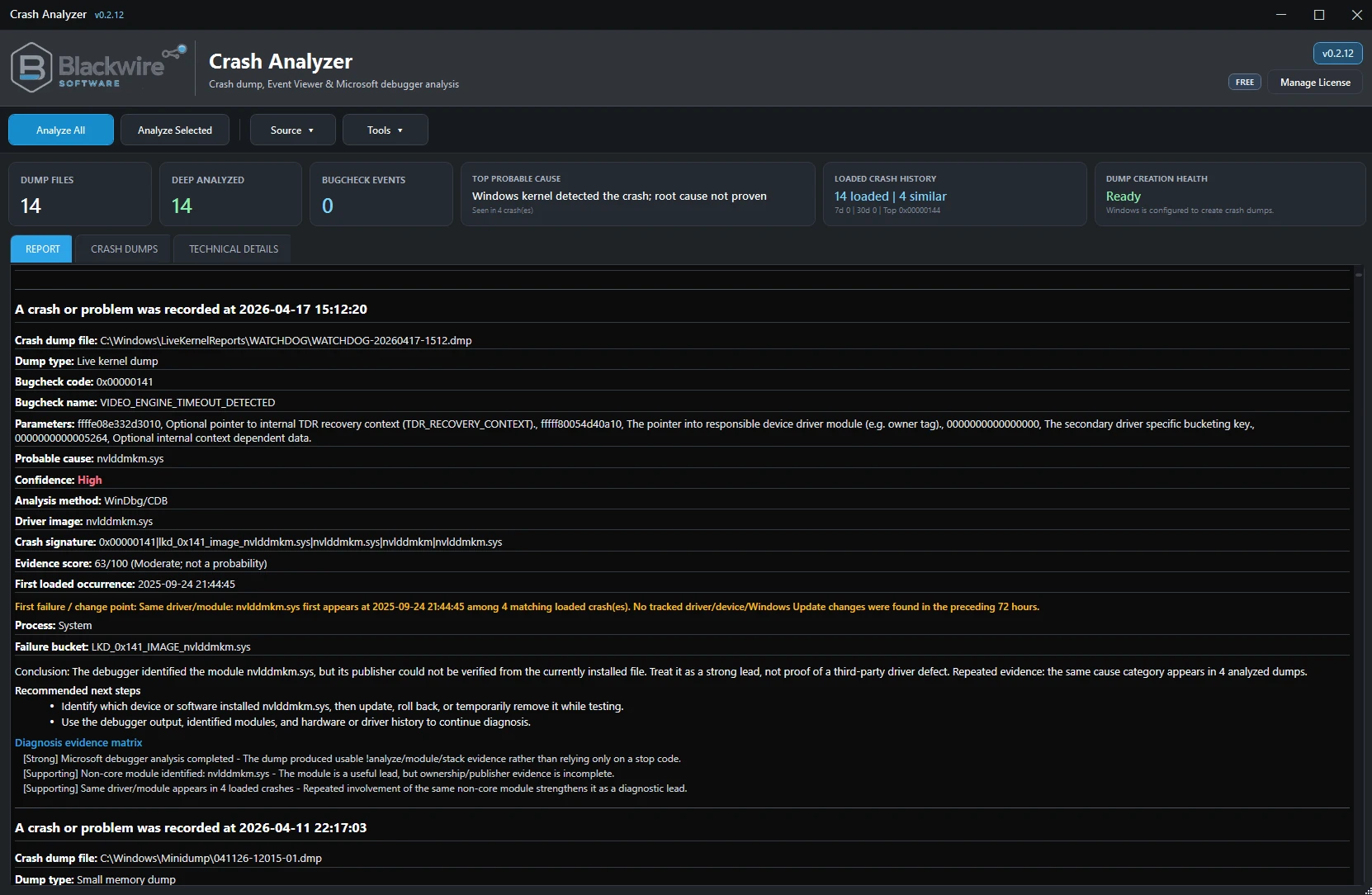
Blackwire Crash Analyzer Free report view.
Free report view with probable cause, confidence, severity, and recommended next-step guidance.
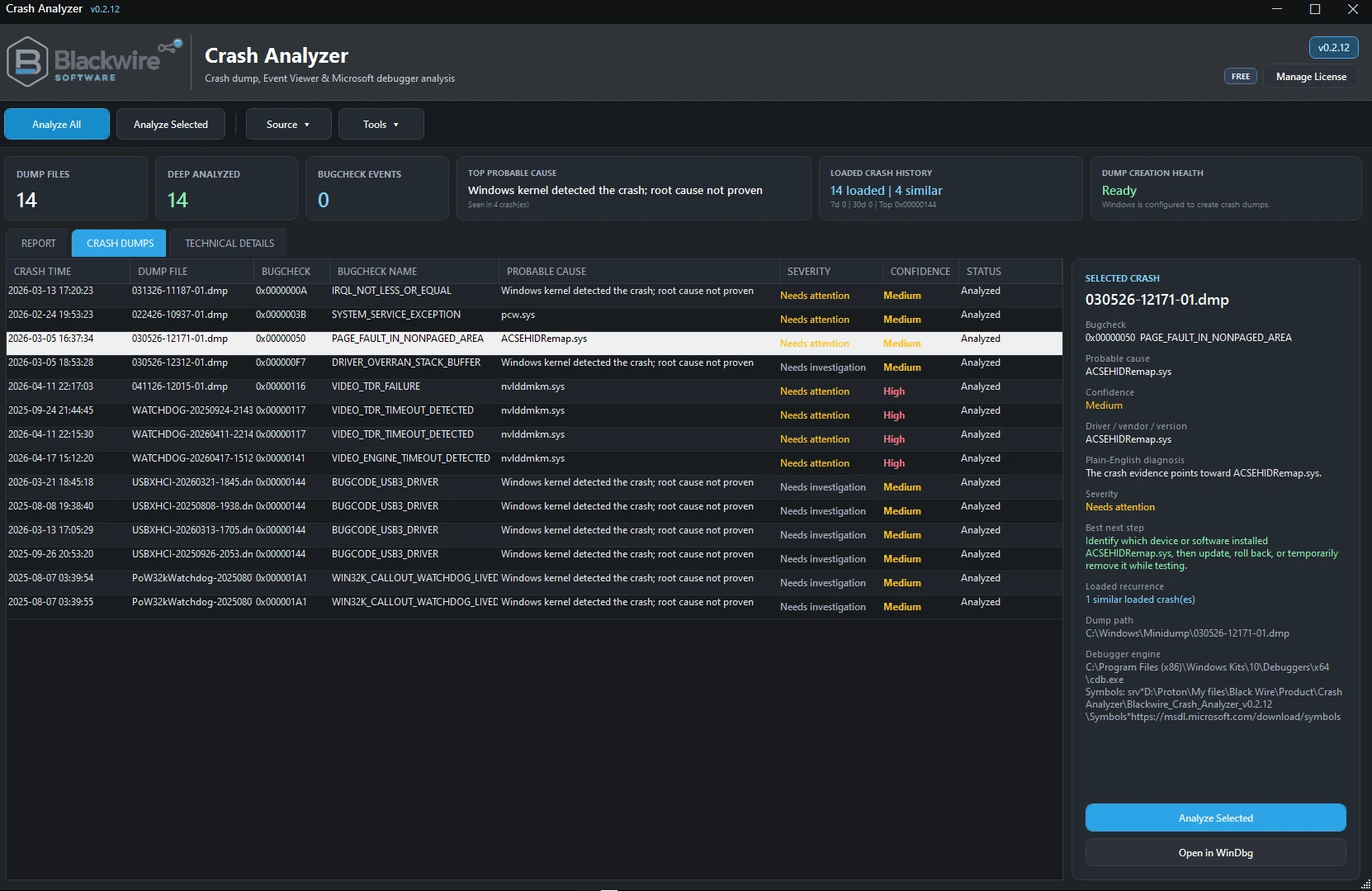
Blackwire Crash Analyzer Free crash dumps view.
Free Crash Dumps workspace with discovered crashes, selected-crash details, and quick context.
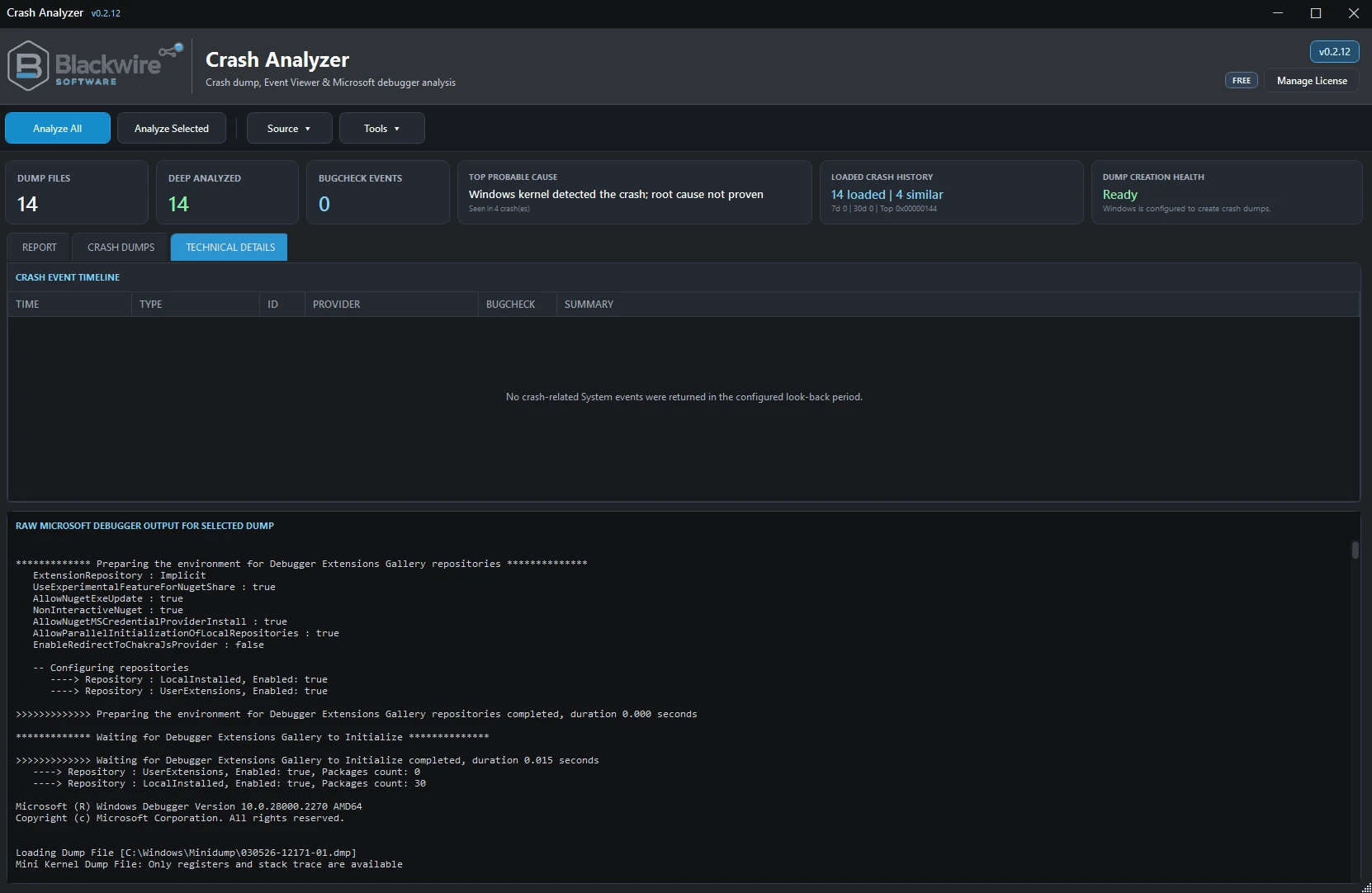
Blackwire Crash Analyzer Free technical details view.
Free Technical Details workspace for users who want the deeper debugger and dump evidence.

Business edition

More tools for technician and commercial use.

Business builds on Free with advanced event correlation, diagnosis evidence, crash-pattern intelligence, timeline views, Compare Crashes, Technician Tools, offline/another-PC analysis, evidence packages, and expanded exports.

Blackwire Crash Analyzer Business report view.
Business report view with crash pattern intelligence, probable-cause assessment, and dump-creation health.
Blackwire Crash Analyzer Business crash dumps view.
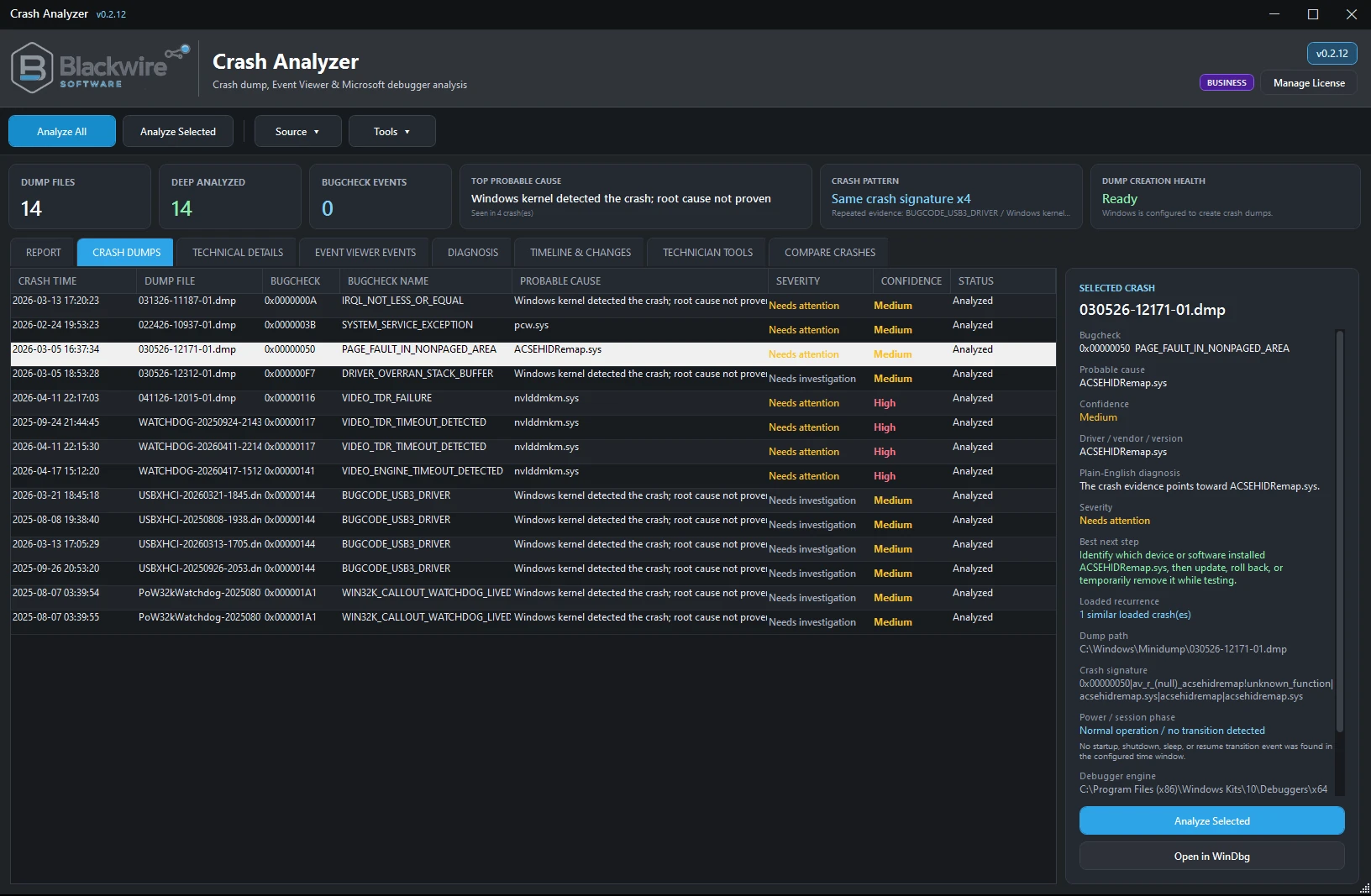
Business Crash Dumps workspace with repeated crash evidence and expanded diagnostics context.
Blackwire Crash Analyzer Business technical details view.
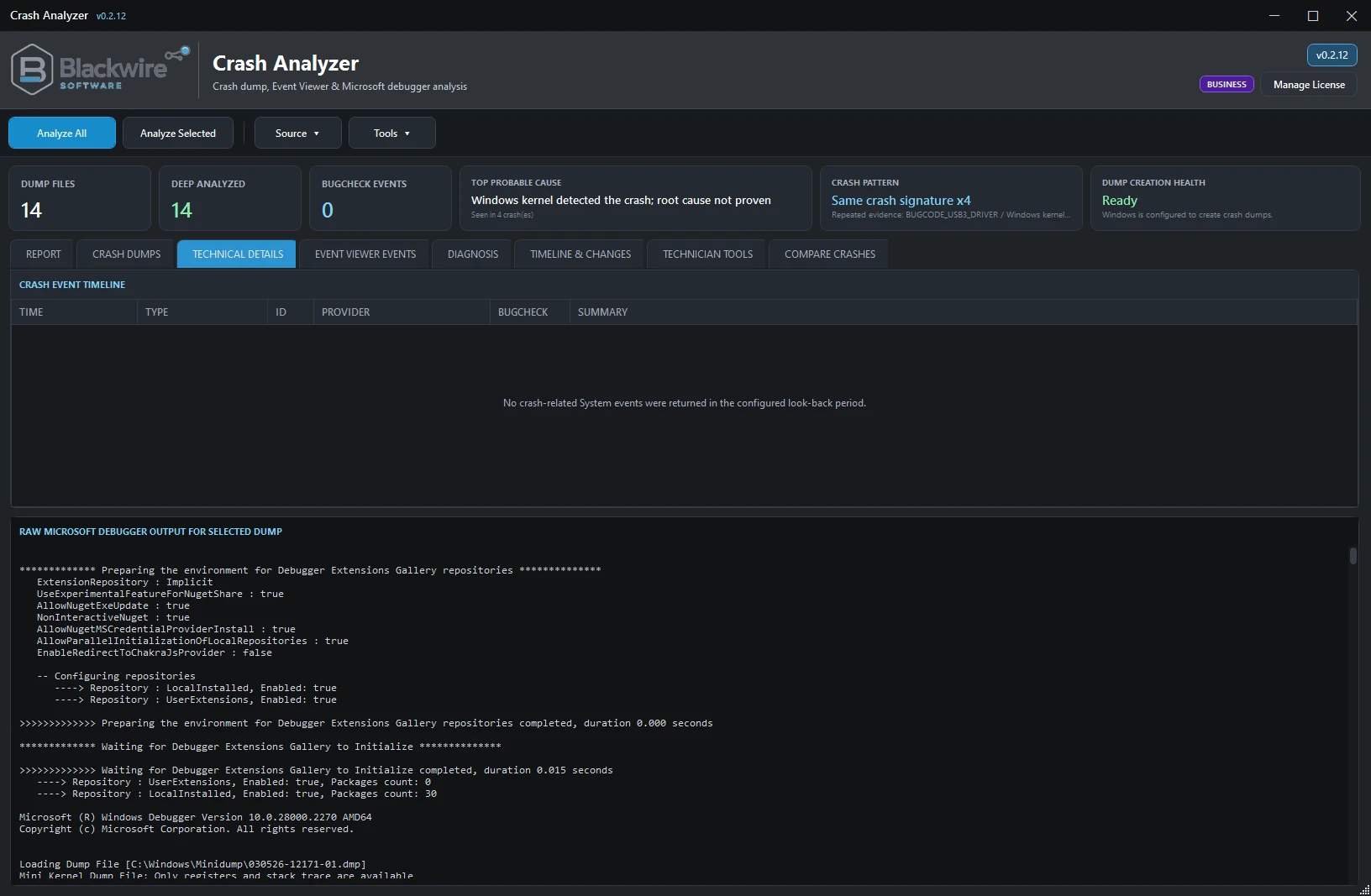
Business Technical Details view for deeper debugger analysis and raw crash evidence.
Blackwire Crash Analyzer Business diagnosis view.
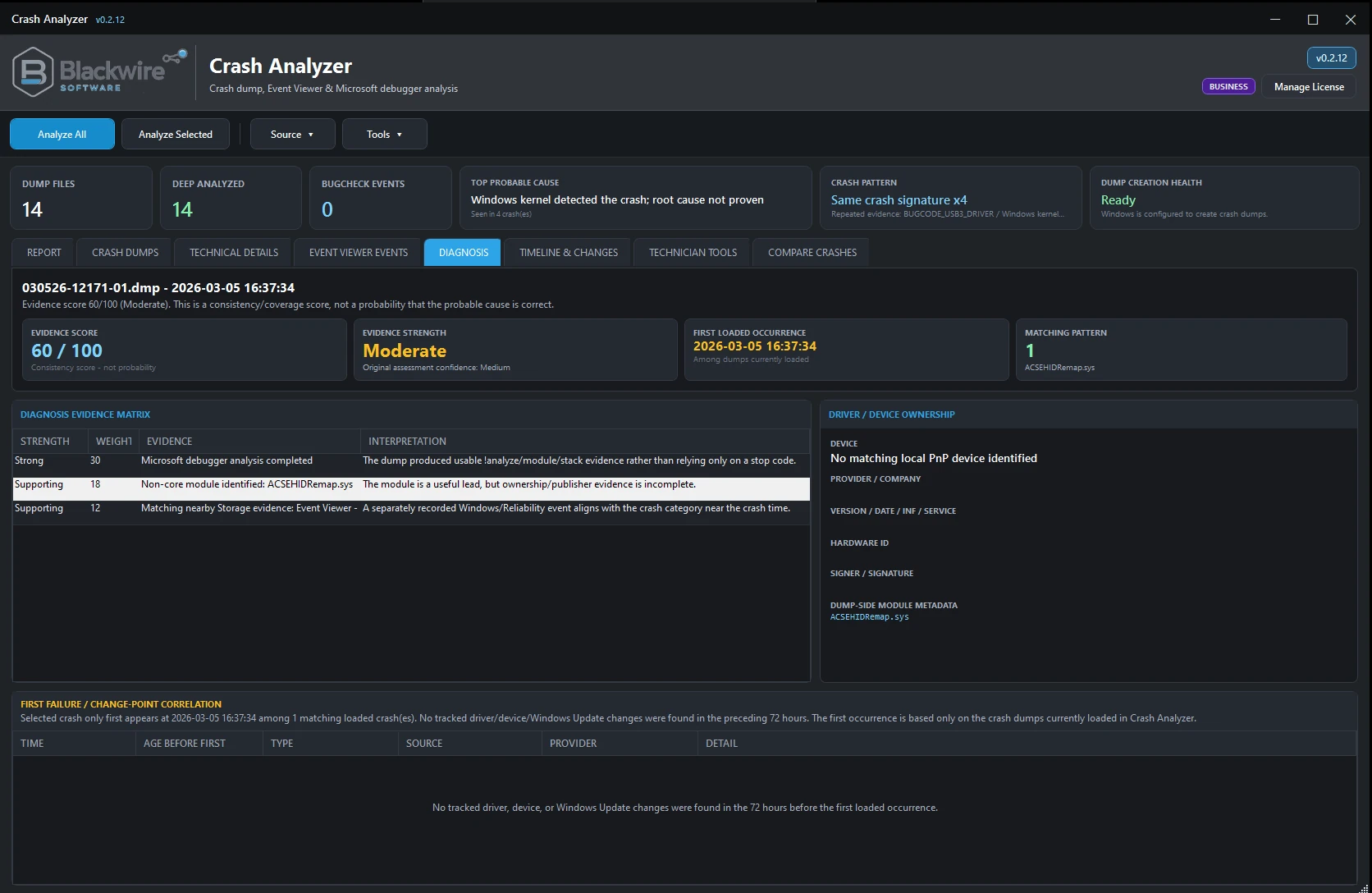
Diagnosis view showing evidence strength, correlation, and plain-English recommendations.

Plain-English diagnosis

Explain why something looks suspicious instead of just naming a file.

A filename in a dump is not automatically the root cause. Crash Analyzer looks at the surrounding evidence before giving weight to something like ntoskrnl.exe or another Windows component, and it can say when the evidence is strong, supporting, only correlated, or simply not enough to call.

Keep the evidence separate from the guess

Confidence, evidence strength, correlations, and limitations help prevent a single filename from being presented as unquestionable proof.

See patterns across multiple crashes

One crash can mislead. Repeated BugChecks, recurring drivers, crash signatures, WHEA evidence, or memory and storage patterns can reveal far more.

Save troubleshooting time

Spend less time gathering the same information from several Windows tools before you can even form a theory.

Who it is for

Useful whether it is your PC or a customer's.

A home user can start with the plain-English result, while a technician can keep digging into the debugger and Windows evidence.

Home users

Useful when a PC blue screens, restarts unexpectedly, crashes during gaming, starts crashing after an update, crashes after waking from sleep, or produces Minidumps the user does not know how to interpret.

PC enthusiasts and advanced users

Get far more than Windows' blue-screen message without having to manually build and maintain a full debugger-centered workflow first.

Computer repair technicians

Business helps organize customer crash evidence faster by bringing WinDbg results, Event Viewer, WER, changes, and related evidence into one workflow.

Repair shops

Business supports another-PC analysis, evidence packages, comparison tools, timelines, and expanded diagnostic views for real repair-bench use.

IT departments / MSPs

Useful for triaging unstable systems and deciding where investigation should continue: driver, GPU, memory/CPU, storage/controller, hardware/WHEA, Windows/update, power-state behavior, or unknown/insufficient evidence.

Pricing and editions

Choose the edition that fits the job.

Free covers personal crash troubleshooting on the current PC. Business adds deeper event correlation, another-PC analysis, evidence packages, Compare Crashes, timeline tools, expanded exports, and commercial use.
Manage an existing Blackwire license →

Personal use

Free

$0

Crash Analyzer Free includes the core current-PC crash-analysis experience and is a genuinely useful diagnostic tool for personal Windows crash troubleshooting.

  • Current-PC crash discovery and analysis
  • Microsoft debugger/basic crash analysis
  • BugCheck information and probable-cause assessment
  • Driver/module details and basic crash-related Event Viewer evidence
  • WHEA evidence when available
  • Plain-English diagnosis, severity, and recommended next steps
  • Basic recurrence/crash history and Dump Creation Health
  • TXT and HTML reports with Blackwire-branded reporting
Complete commercial edition
Commercial use

Business

$19.99

For technicians, repair shops, IT departments, MSPs, and commercial support environments that need more than a basic single-PC crash review.

  • Everything in Free
  • Advanced Event Viewer, Reliability, and WER correlation
  • Diagnosis Evidence Matrix and advanced crash-pattern intelligence
  • Timeline & Changes and first-failure/change-point analysis
  • Specialized GPU, Memory/CPU, Storage/Controller, and WHEA diagnostics
  • Compare Crashes and Technician Tools
  • Analyze another/offline Windows installation
  • Evidence Packages, Support ZIP creation, JSON, and expanded CSV exports
  • Professional technician workflows and commercial diagnostic use

Licensed Business purchases use Blackwire's 7-day refund-request window. See the Refund Policy for eligibility and exceptions.

Free vs Business

See which workflow matches your needs.

Free covers the core current-PC crash-analysis experience. Business adds the expanded event-correlation, comparison, offline-analysis, export, and technician workflow features aimed at professional use.

Feature Free Business
Current-PC crash analysisYesYes
Analyze Windows crash dumpsYesYes
Microsoft debugger analysisYesYes
BugCheck / probable causeYesYes
Driver/module informationYesYes
Basic Event Viewer evidenceYesYes
Dump Creation HealthYesYes
Plain-English diagnosisYesYes
TXT / HTML reportsYesYes
Advanced Event correlationNoYes
Reliability / WER correlationNoYes
Diagnosis Evidence MatrixNoYes
Advanced crash-pattern analysisNoYes
Timeline & ChangesNoYes
GPU diagnosticsNoYes
Memory / CPU diagnosticsNoYes
Storage / Controller diagnosticsNoYes
Advanced WHEA diagnosticsNoYes
Compare CrashesNoYes
Technician ToolsNoYes
Analyze another/offline PCNoYes
Evidence Packages / Support ZIPNoYes
JSON / expanded CSV exportsNoYes
Commercial / technician workflowsNoYes

Business feature highlights

Deeper crash analysis for professional use.

Business is for technicians who need more than a quick review of the current PC: deeper event correlation, repeated-pattern analysis, another-PC work, and evidence collection.

Analyze another PC — Business

Investigate Windows even when the original PC is not practical to keep running.

Technicians often need to analyze a computer that no longer boots reliably, has its drive connected to another PC, has had its Windows files copied, or cannot remain operational long enough for investigation. Business can analyze available evidence from another or offline Windows installation.

When source Event Viewer logs or other source evidence are available, Crash Analyzer uses evidence belonging to that source computer rather than incorrectly substituting the technician computer's own history. This matters for professional diagnostic accuracy.

  • Analyze another/offline Windows installation
  • Archived/offline Windows Event Log analysis
  • Evidence Package workflows and Support ZIP creation
  • Commercial technician workflow tools
Blackwire Crash Analyzer Business Technician Tools view.
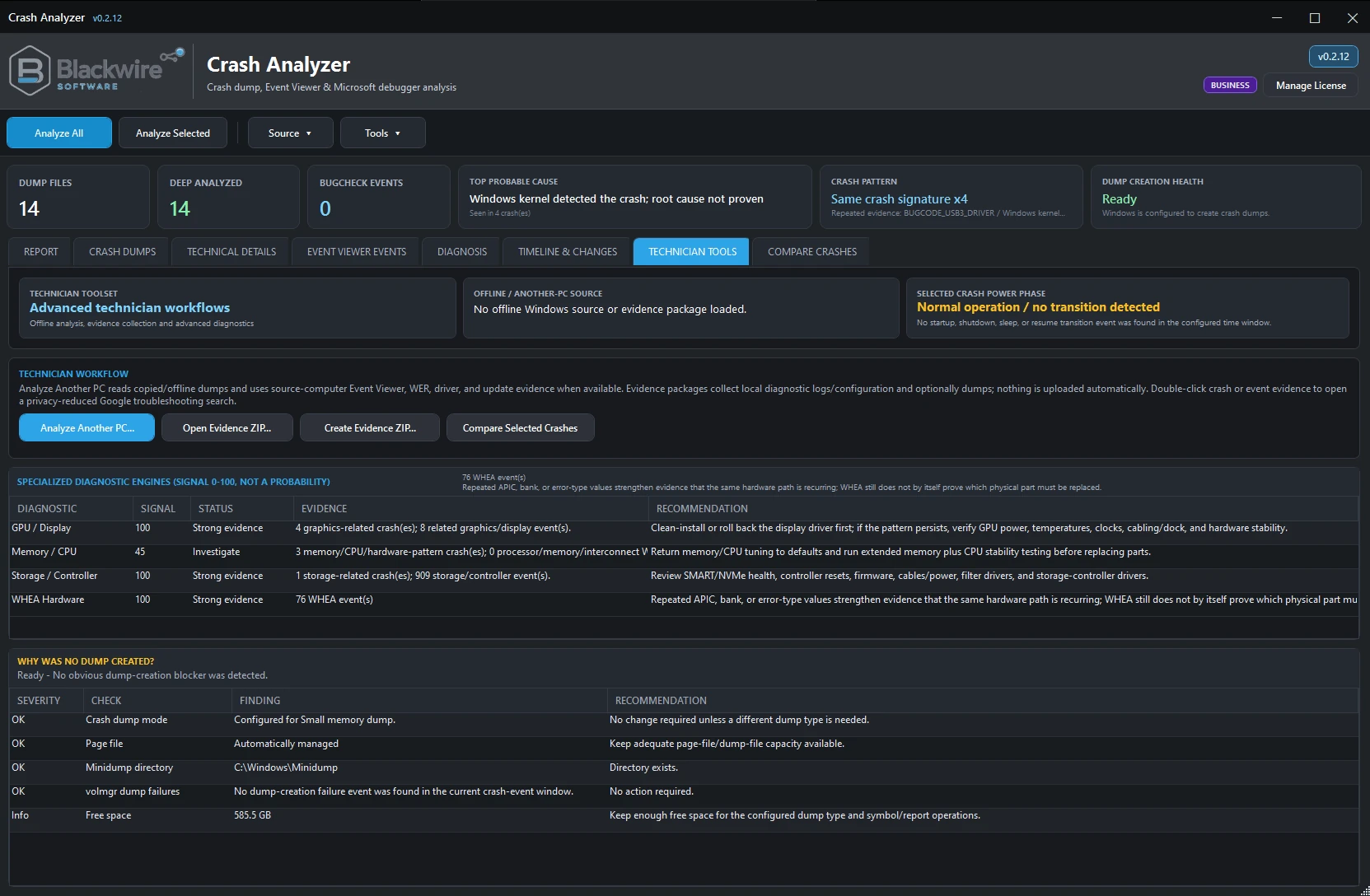
Technician Tools workspace with another-PC analysis, evidence-package actions, and specialized diagnostic workflows.
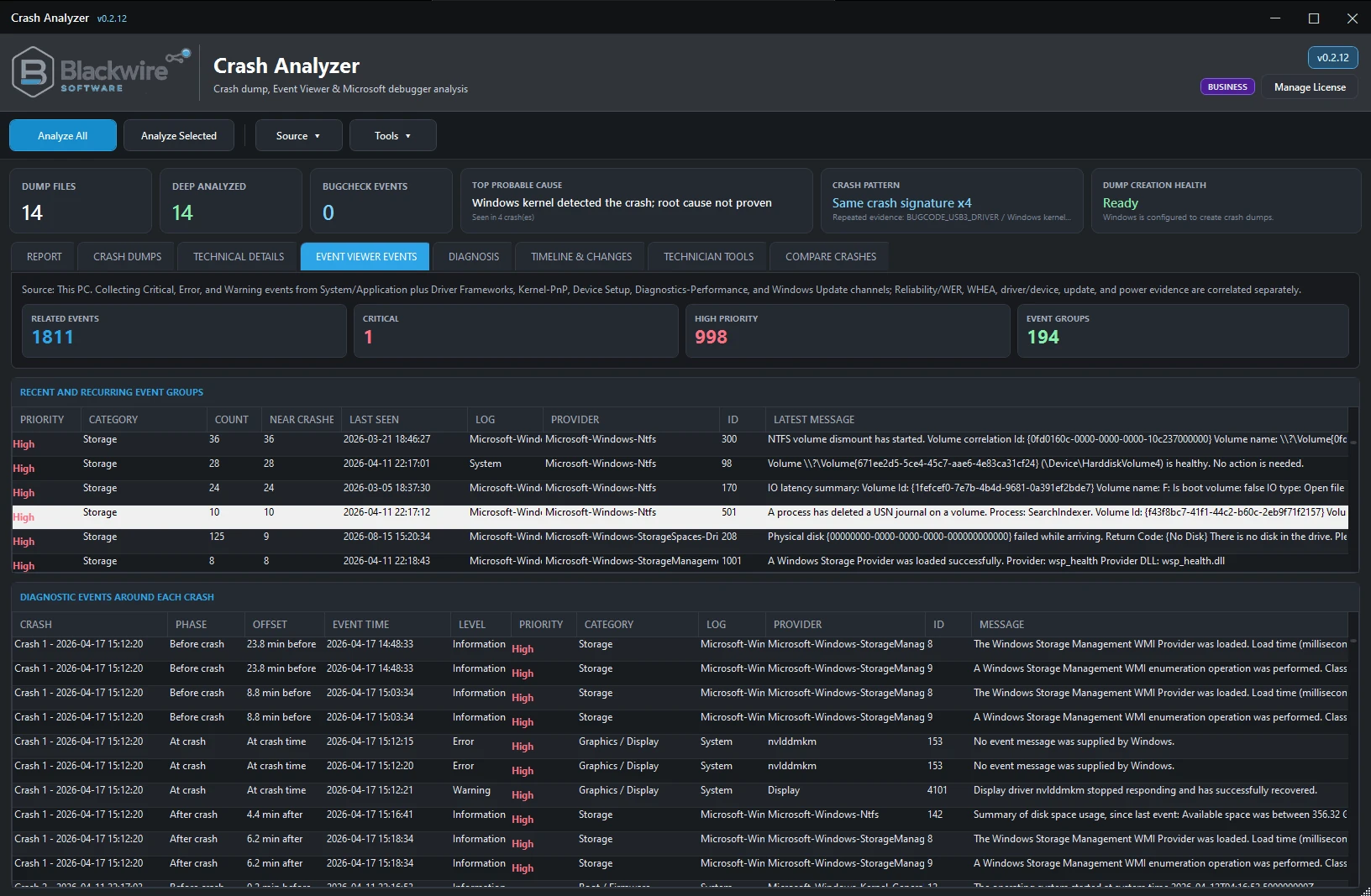
Blackwire Crash Analyzer Business Event Viewer Events view.
Event Viewer correlation focused on crash-relevant Windows events instead of overwhelming noise.

Event Viewer without the noise

Focus on the Windows events that actually matter to the crash.

Event Viewer can bury you in noise. Business pulls out crash-relevant events and groups them around the crashes you are investigating instead of dumping every Windows event into the same view.

  • Critical events, errors, and relevant warnings
  • Kernel-Power, BugCheck, WHEA, storage, display/GPU, and driver/device evidence
  • Windows Update and other crash-relevant Windows diagnostic channels
  • Reliability and Windows Error Reporting correlation where available

Timeline & Changes — Business

Organize evidence around the crash: before, at the crash, and after.

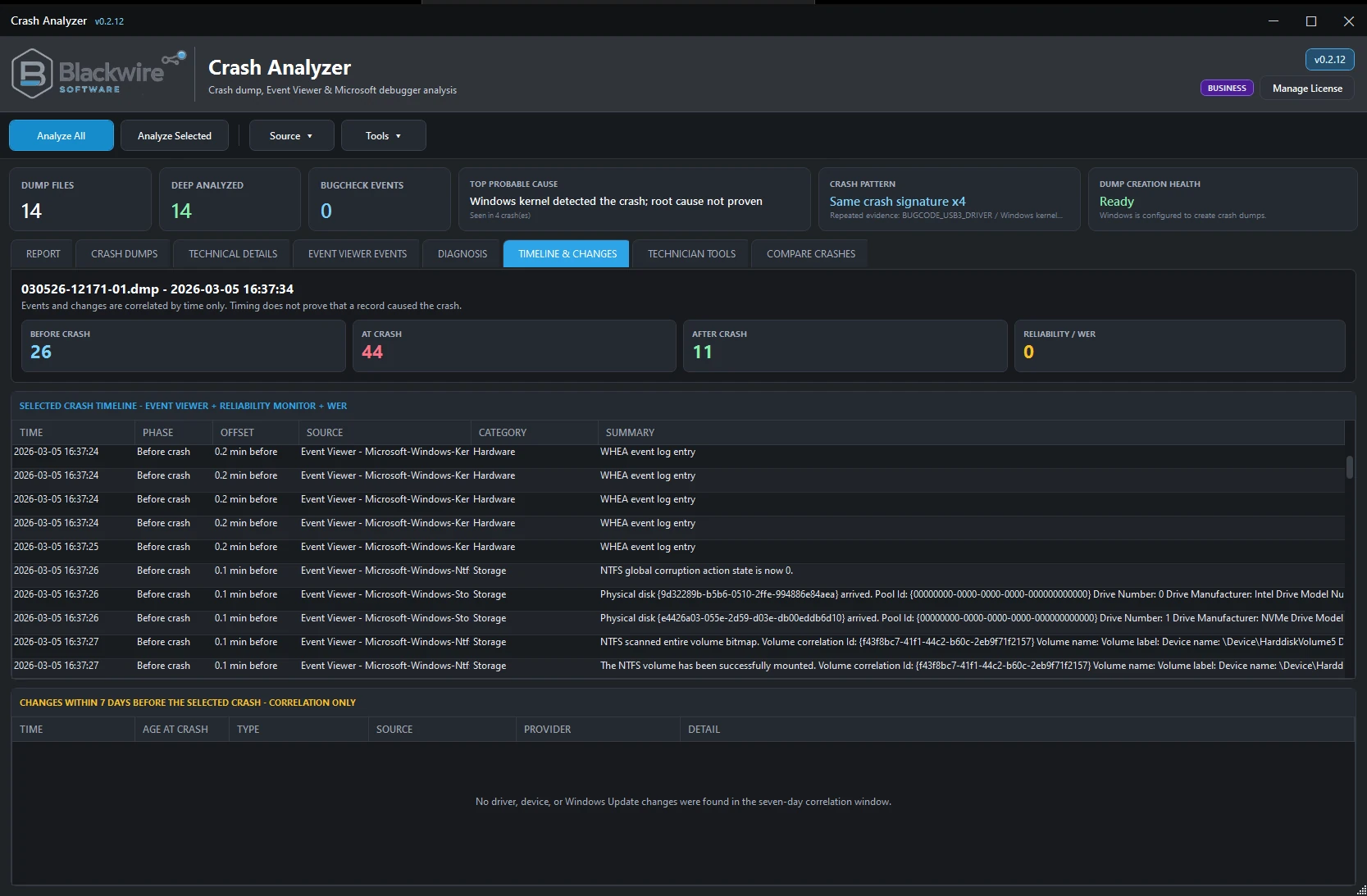
Timeline & Changes can help expose useful relationships such as a device failure before a crash, a driver reset, WHEA activity, storage errors, Windows or driver changes, sleep/resume behavior, or startup/shutdown activity. Temporal correlation is not automatically proof of causation, but it often helps explain where investigation should continue.

  • Before → At the crash → After
  • First-failure / change-point analysis
  • Driver, update, and system-change context
  • Power-state and session evidence
Blackwire Crash Analyzer Business Timeline and Changes view.
Timeline & Changes view for seeing crash-related evidence in context before, during, and after instability.
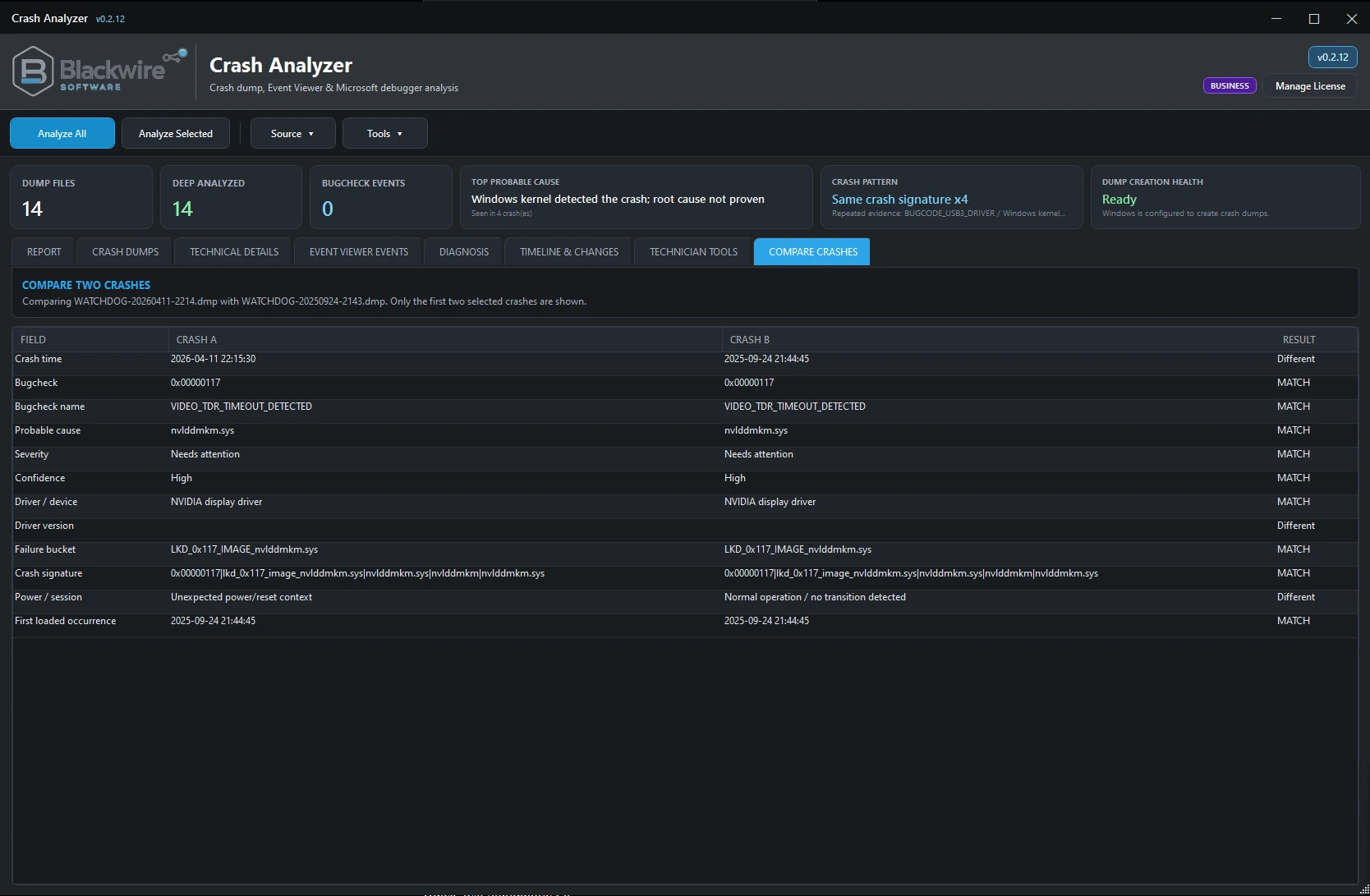
Blackwire Crash Analyzer Business Compare Crashes view.
Compare Crashes makes it easier to see whether several different-looking BSODs are actually part of the same pattern.

Compare Crashes — Business

See whether several different-looking crashes actually share a pattern.

A single BSOD can be misleading. Several crashes can reveal a pattern. Business lets technicians compare crashes side by side using crash time, BugCheck, probable cause, severity, confidence, driver or device context, driver version, failure bucket, crash signature, power/session classification, and recurrence information.

This is particularly useful when a customer has multiple different-looking crashes and the technician needs to determine whether they actually point toward one underlying problem such as a graphics driver issue, memory instability, storage/controller trouble, or a recurring hardware path.

Privacy / local analysis

Crash evidence stays under your control.

Crash Analyzer performs diagnostic analysis locally. It does not automatically upload crash dumps, Event Viewer logs, reports, evidence packages, or system diagnostic information to Blackwire Software. Microsoft symbols may be downloaded from Microsoft's public symbol service when required for debugger analysis. Paid editions use Blackwire license activation and license-management services.

Local by default

Crash dumps, Event Viewer evidence, reports, and evidence packages stay local unless the user deliberately chooses an external workflow that requires it.

Research is user-initiated

Business includes deliberate external research functionality where the user chooses to initiate it, but the product is not portrayed as automatically sending raw dump contents or full Event Viewer messages to a third party.

Technically credible limits

A crash dump only contains the evidence Windows was able to capture when the failure occurred. Crash Analyzer helps determine where to investigate next; it does not guarantee that every crash reveals a definitive root cause.

Important diagnostic disclaimer

Use Crash Analyzer to point the investigation in the right direction.

Crash Analyzer is a diagnostic tool, not a guarantee of root cause. It does not physically test RAM, CPU, GPU, the motherboard, or storage hardware, so suspected hardware problems may still need separate testing. Its job is to help you decide where to investigate next.

Final call to action

Stop guessing. Follow the crash evidence.

Use Free for personal crash troubleshooting, or Business when you need the technician, another-PC, comparison, and commercial-use tools.

For individuals

Crash Analyzer Free

For people troubleshooting their own Windows PC.

For professionals

Crash Analyzer Business

For technicians, repair shops, IT professionals, and commercial diagnostic workflows.